
This document is a user guide for Canon MFC-J265W printer, which introduces the installation, use and maintenance of the printer.
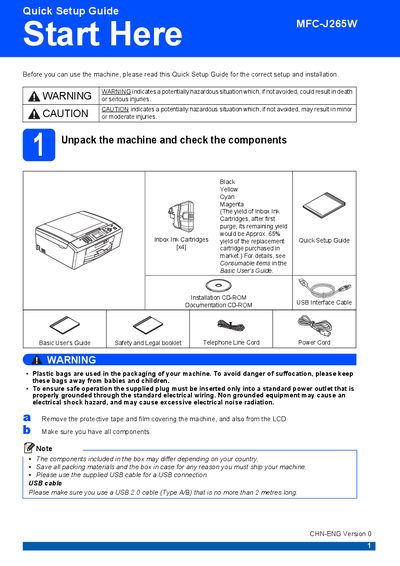
This Quick Setup Guide walks you through the initial setup of the Brother MFC‑J265W, covering safety warnings, unpacking, power and telephone connections, paper loading, ink cartridge installation, and basic configuration such as language, LCD contrast, date/time, and network settings. Follow each section to get the printer ready for first use and ensure reliable operation.
Key sections include loading plain A4 paper, installing the four ink cartridges, checking print quality, selecting receive mode for fax/telephone, adjusting LCD contrast, setting the date and time, restoring network defaults, entering wireless network credentials, and information on replacement consumables and genuine Brother ink.
| Ink cartridge part numbers | Black LC975BK, Yellow LC975Y, Cyan LC975C, Magenta LC975M |
|---|---|
| Ink yield after first purge | ≈65% |
| USB cable requirement | USB 2.0 Type A/B, ≤2 m |