
This manual introduces how to install ordinary A4 paper, connect the power cord and telephone line, and install the ink cartridge for MFC-6890CDW multifunction printer.
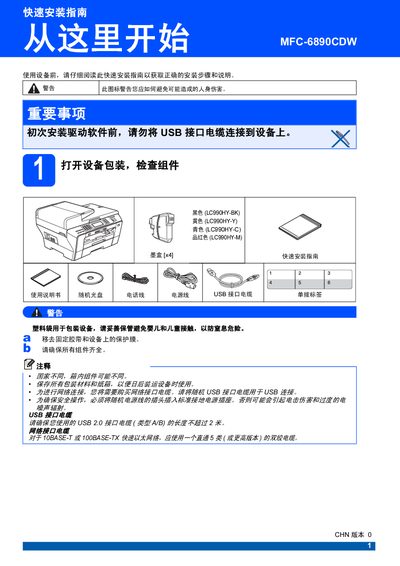
This quick installation guide provides step‑by‑step instructions for setting up the Brother MFC‑6890CDW all‑in‑one printer. It covers safety precautions, hardware assembly, USB connection, cartridge loading, and initial configuration.
Key sections include safety warnings, cartridge replacement procedures, USB 2.0 connection instructions, print quality checks, and how to set the date and time on the device. The guide also lists compatible ink cartridge models and color options. This manual is written in Chinese.
| Supported USB interface | USB 2.0 |
|---|