
Panasonic UB-5838C/UB-5338C Electronic Board Operating Instructions

This is the operating instructions for Panasonic Electronic Board UB-5838C and UB-5338C
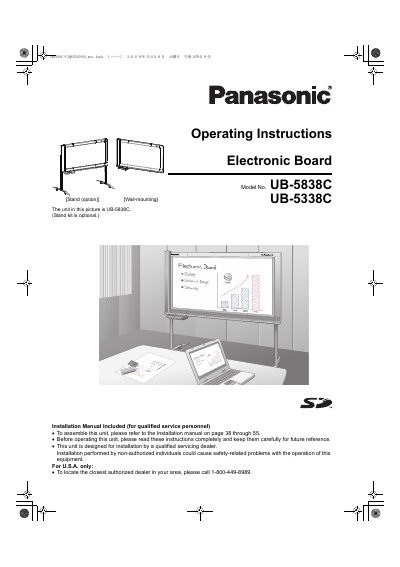

Panasonic UB-5838C/UB-5338C Electronic Board Operating Instructions - cover page
Brand
Panasonic
Category
Office Equipment
Document type
User Manual
Language
English
Pages
56
File format
PDF
File size
9.1 MB
Published
08 August, 2012
Updated
01 October, 2023
MD5 checksum
9FAF4FA440F4155BD80D27FF272E8734

About this manual

This manual provides operating instructions for the Panasonic UB-5838C (wide-size) and UB-5338C (standard-size) Electronic Boards. The device allows users to scan hand-written text and diagrams, store them on USB flash memory devices or SD memory cards, print via an external printer, and interface with a computer using a USB Mass Storage Device.

What's inside

  • For Your Safety
  • Part Names and Functions
  • Scanning
  • Storing images on a USB flash memory device
  • Storing images on an SD memory Card
  • Printing with an external printer
  • Moving the Electronic Board
  • Daily Care and Maintenance
  • Troubleshooting

Specifications

Product TypeColor electronic board
Storage Capacity2 scanned images

Frequently asked questions

What are the model numbers covered in this manual?

This manual covers the UB-5838C wide-size model and the UB-5338C standard-size model.

Can I store scanned images on an SD card?

Yes, you can store scanned hand-written text/diagrams onto an SD memory card, but SDHC cards are not supported.

Is special software required for computer interfacing?

No, it is not necessary to install special drivers or software when connecting the USB Mass Storage Device to a computer.

Download PDF (9.1 MB)

More Panasonic Manuals


View all Panasonic manuals →