
Key facts
- Manuals
- 318
- Models
- 45
- Categories
- 18
- Languages
- ZH · EN
- Last added
- 2026-10-02
FOUNDER models by category
Featured FOUNDER manuals
Founder Photo Power 135 Digital Camera User Manual
This manual introduces the Founder Photo Power 135 digital camera, covering basic handling, battery installation, power on/off, shooting modes, menu functions, and photo quality settings. It also includes care instructions, cleaning tips, and a troubleshooting guide for common issues.
Technical specifications such as sensor type, lens focal length, storage capacity, USB interface, and dimensions are listed, along with an appendix that explains basic computer terminology for data transfer. This manual is written in Chinese.
Covers: 认识相机 · 安装与更换电池 · 开启与关闭电源 · 工作模式 · 拍照 · 连拍
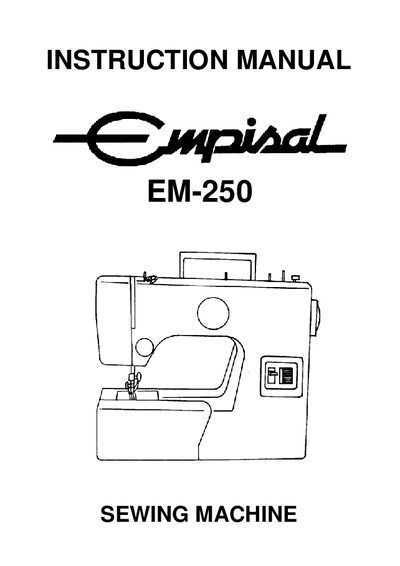
Founder EM-250 Sewing Machine Instruction Manual
This manual covers safe operation of the EM-250 sewing machine, including power connection, bulb replacement, and recommended working conditions. It also lists all machine parts, accessories, and optional attachments such as twin needle and quilting guides.
Detailed instructions explain how to thread the machine, select stitch patterns, adjust tension, and perform regular cleaning and oiling. A troubleshooting section helps resolve common issues like fabric feed problems, needle breakage, and thread tension errors.
Covers: Safety Instructions · Name of Parts · Before Sewing (Power Supply and Sewing Lamp) · Removing Extension Table · Free‑Arm Sewing · Winding the Bobbin

FounderFX 8.2 Digital Edition User Manual
This guide covers the overall purpose of FounderFX 8.2, its application fields, and the workflow for creating digital publications. It includes system configuration requirements, installation steps, and how to connect to the server version.
Subsequent chapters detail workspace preferences, file operations, text and image handling, interactive effects, animation, and shortcut key references, enabling users to fully exploit the software’s layout and publishing features. This manual is written in Chinese.
Covers: Overview · System Configuration · Installation and Uninstallation · Workspace Settings · File Operations · Text Entry and Image Layout

Founder 8.0 Digital Publishing Software User Manual
This manual covers the complete workflow for using Founder 8.0 Digital Publishing Software, including system requirements, installation, and configuration of the work environment. It explains how to create and edit documents, manage fonts, styles, and templates, and output files in various formats.
The guide also details advanced features such as interactive objects, scrolling content, animation, and virtual‑reality effects, plus a comprehensive list of keyboard shortcuts and usage terms. It is intended for end‑users who need to operate the software efficiently. This manual is written in Chinese.
Covers: Overview · Getting Started · Work Environment Settings · File Operations · Text and Image Insertion · Text Processing
Latest FOUNDER manuals
Founder Photo Power 135 Digital Camera User Manual
User Manual 43 pages · 724 KB · ZHThe Founder Photo Power 135 digital camera user manual provides setup, operation, battery handling, and troubleshooting instructions.
Founder EM-250 Sewing Machine Instruction Manual
User Manual 33 pages · 814 KB · ENThe Founder EM-250 instruction manual provides safety guidelines, part identification, setup steps, stitching options, maintenance, and troubleshooting.
FounderFX 8.2 Digital Edition User Manual
User Manual 215 pages · 5.6 MB · ZHThe manual provides installation, workspace setup, and detailed usage instructions for FounderFX 8.2 digital publishing software.
Founder 8.0 Digital Publishing Software User Manual
User Manual 218 pages · 5.8 MB · ZHThe Founder 8.0 Digital Publishing Software User Manual provides step‑by‑step instructions for installation, layout, text and image handling, and…
Founder RuiCai Color Calibration Platform User Manual
User Manual 105 pages · 6.7 MB · ZHThe Founder RuiCai Color Calibration Platform User Manual provides installation, operation, and color profile management instructions.
FOUNDER WENJIE A330/A330N Manual
Fang Zheng Wenjie A330/A330N Manual
FOUNDER V70+/V60+ Scanner Manual
User manual for Founder Scanner Series
UROVO E300 Laptops products Manual
This document is the product manual for Founder Technology notebook computers, introducing the features and characteristics of the Founder E300 notebook computer.
FOUNDER laptop ABS security system Manual
Manual for ABS security system for Founder laptop, introduces software installation, uninstallation, getting started and other contents
FOUNDER Scanner Manual(2)
This manual describes the features and characteristics of the Founder Technology Scanner series products and their use methods.
FOUNDER V series Scanner Manual
FOUNDER E series Mobile Hard disk Manual
FOUNDER S series v1.0 Mobile Hard disk Manual
Founder mobile hard disk manual, introduces the product features, including metal shell, high-speed USB2.0 interface, Windows98 above system does not need driver, cache type large capacity 8M cache, 5400 rpm high-speed hard disk.
FOUNDER H1200 v1.0 Mobile Hard disk Manual
The Founder H1200 mobile hard drive is a portable external storage system that supports hot-plugging and simultaneously supports PC and MAC systems. The included mobile office software can store your common office files such as: address books, calendars, emails, and other files on the mobile hard drive and can be used normally when connected to any computer.
FOUNDER mobile storage Manual
Fosun Mobile Storage User Manual, introduces the features of the product, including large capacity, fast read and write speed, plug and play, hot plug support, data protection function, etc.
Which document do I need?
User Manual
Day-to-day operation, settings and troubleshooting. Start here if the product is already set up.
Questions answered in FOUNDER manuals
What type and how many batteries does the Photo Power 135 use?
It uses two AA alkaline batteries and does not support rechargeable batteries.
How should the camera lens be cleaned?
Clean the camera with a soft cloth and avoid touching the lens directly.
How do I replace the sewing lamp bulb?
Open the face cover, unscrew the old bulb anti‑clockwise, then install a new 15 W screw‑type bulb clockwise.
What should I do if the fabric does not move while sewing?
Raise the feed dog, set the stitch length dial between 1 and 4, and increase presser foot pressure.
How can I move an object on the page?
Select the object and use the arrow keys, or hold Ctrl while pressing the arrows for finer movement.
How do I create a scrolling content block?
Select a text block with a continuation marker, then choose Interactive → Convert to Scrolling Content.