
The Yamaha YVC-1000 speakerphone system user manual provides setup, operation, connection, and specifications for PC, Mac, and mobile devices.
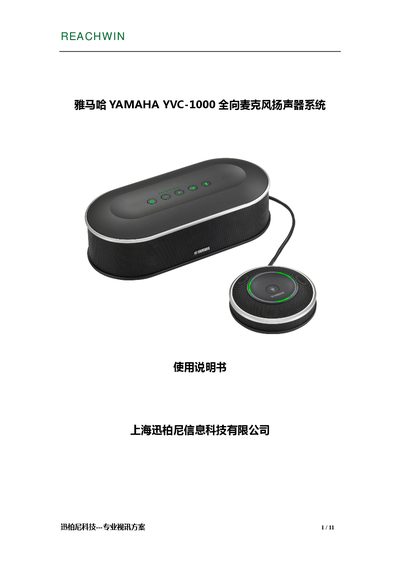
The YVC-1000 is a full‑direction speakerphone system that includes a control terminal (YVC‑CTU1000), a microphone (YVC‑MIC1000), power and USB cables, and a microphone cable. The manual describes the functions of the power button, volume controls, Bluetooth, NFC, and indicator lights, as well as the layout of ports for power, USB, microphone, speaker, and audio I/O.
Installation steps cover microphone placement, cable connections, and Bluetooth/NFC pairing. The guide also lists supported operating systems, Bluetooth specifications, and detailed technical specifications such as power consumption, temperature ranges, dimensions, and audio frequency response. This manual is written in Chinese.
| Control terminal interfaces | USB 2.0 High Speed, Bluetooth, NFC, audio input RCA, audio output RCA, external speaker RCA, power port, microphone port |
|---|---|
| Maximum power consumption | 20 W (1 microphone) / 35 W (5 microphones) |
| Operating temperature | 0 °C to 40 °C |
| Operating humidity | 20 % to 85 % (no condensation) |
| Storage temperature | -20 °C to +50 °C |
| Control terminal dimensions | 332 mm × 95 mm × 162 mm (W×H×D) |
| Microphone dimensions | 136 mm × 36 mm × 136 mm (W×H×D) |
| Control terminal weight | 1.8 kg |
| Microphone weight | 0.4 kg |
| Power supply | 220 V, 50 Hz |
| Supported PC operating systems | Windows 7, 8, 8.1 (32‑ or 64‑bit) |
| Supported Mac operating systems | macOS 10.8, 10.9 |
| Bluetooth version | 2.1 + EDR |
| NFC compatible Android versions | Android 4.1 – 4.4 |
| Audio frequency response | 100 Hz – 20 kHz (mic and speaker) |
Up to five microphones can be connected to the system.
Press the microphone mute button to temporarily mute; press it again to unmute.