
Key facts
- Brand
- Yamaha
- Model
- FW16E
- Documents
- 2
- Languages
- ZH · JA
- Last added
- 2012-06-12
Start here
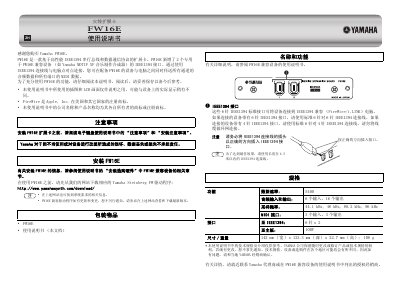
Yamaha FW16E Expansion Card User Manual
The Yamaha FW16E is an expansion card based on the high-performance IEEE1394 serial bus protocol. It adds two dedicated IEEE1394 interfaces specifically for FW16E-compatible devices, such as the Yamaha MOTIF XF music workstation. By connecting via IEEE1394 cable to a computer, users can simultaneously transmit all channel audio data and all port MIDI data between the equipped device and the computer.
Before installing the FW16E expansion card, users must read the "Precautions" and "Installation Precautions" in the electronic keyboard user manual. The card requires the Yamaha Steinberg FW driver, which must be downloaded from the manufacturer's website prior to use. The manual also outlines connection methods for 6-pin and 4-pin IEEE1394 interfaces and notes that the FireWire trademark belongs to Apple, Inc. This manual is written in Chinese.
Yamaha FW16E specifications
| Data Rate | S400 |
|---|---|
| Audio Inputs | 6 |
| Audio Outputs | 16 |
| Sampling Frequencies | 44.1 kHz, 48 kHz, 88.2 kHz, 96 kHz |
| MIDI Inputs | 3 |
| MIDI Outputs | 3 |
| IEEE1394 Interfaces | 2 x 6-pin |
| Mainboard Interface | 100-pin |
| Dimensions | 142 mm (W) x 123.3 mm (D) x 22.7 mm (H) |
All Yamaha FW16E documents by type
Day-to-day operation, settings and troubleshooting. Start here if the product is already set up.
Questions answered in these manuals
What is the maximum recommended length for the IEEE1394 connection cable?
For best results, use an IEEE1394 connection cable with a length of 4.5 meters or less.
Which devices are compatible with the FW16E expansion card?
The FW16E is compatible with devices such as the Yamaha MOTIF XF music workstation.
Where can I download the required driver software?
You can download the Yamaha Steinberg FW driver software from the official website.