
Key facts
Start here
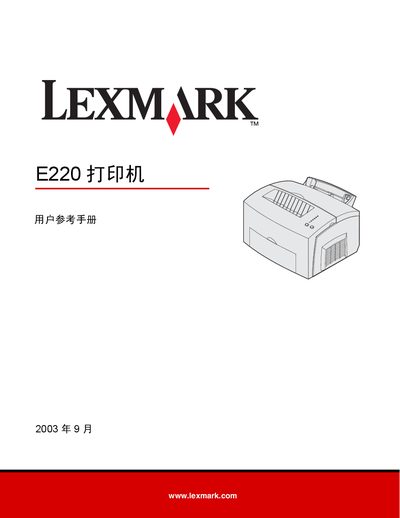
Lexmark E220 Printer User Reference Manual
This reference manual covers all aspects of operating the Lexmark E220 laser printer, including safety precautions, electronic radiation compliance, noise levels, and Energy Star certification. It also explains the printer’s hardware features such as the main paper tray, optional 250‑page tray, and supported media types.
The guide walks users through printing from Windows and Macintosh, configuring the printer via the control panel, and performing routine maintenance like replacing the toner cartridge and cleaning the drum. A detailed troubleshooting section helps resolve common print quality and paper‑feed issues. This manual is written in Chinese.
Lexmark E220 specifications
| Print speed | Up to 17 ppm |
|---|---|
| First‑page time | Less than 9.5 seconds |
| Processor | 100 MHz |
| Standard memory | 8 MB DRAM |
| Print resolution | 1200 dpi (Image Quality) |
| Emulation support | PCL 5e, Host Based Printing, PostScript (Mac) |
| Input capacity | 160‑sheet primary tray |
| Optional input drawer | 250‑sheet drawer |
| Output capacity | 100‑sheet top exit |
| Supported media weights | 60‑163 g/m² |
| Connectivity ports | USB 2.0 compatible and Parallel |
| Warranty | One‑year on‑site exchange |
All Lexmark E220 documents by type
Day-to-day operation, settings and troubleshooting. Start here if the product is already set up.
Disassembly, diagnostics and part numbers, for repair.
Questions answered in these manuals
What is the print speed of the Lexmark E220?
The printer can produce up to 17 pages per minute.
How long does it take to get the first page printed?
The first page is printed in less than 9.5 seconds.
Where can I download the complete PDF manual?
The full PDF manual is available at www.LaserPros.com.
How can I contact Lexmark for service information?
Contact Lexmark International, Inc. at 740 West New Circle Road, Lexington, Kentucky 40550, U.S.A., or email [email protected].
How many pages can the main paper tray hold?
The main paper tray can hold up to 150 sheets of paper or 10 sheets of other media.
What is the noise level when the printer is printing?
The printer produces a noise level of 49 dBA while printing.