
Key facts
Start here
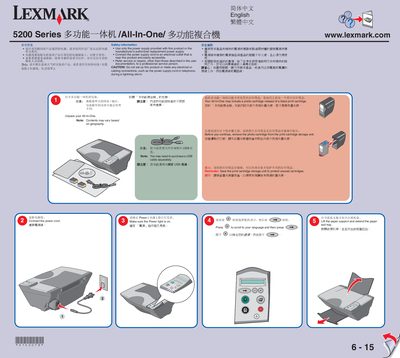
Lexmark 5200 Series All-In-One User Manual
This manual guides you through unpacking the Lexmark 5200 Series All‑In‑One, safety precautions, power connection, and language selection. It also explains how to handle the photo cartridge, load paper, and adjust the paper guides.
Further sections cover connecting the device to a computer via USB, installing the supplied software on Windows or Macintosh, printing a calibration page, and operating the scanner unit. The guide includes important cautions such as avoiding installation during lightning storms and using only the supplied power supply. This manual is written in Chinese.
All Lexmark 5200 Series documents by type
Mounting, wiring and first power-up. Read it before the hardware goes in.
Day-to-day operation, settings and troubleshooting. Start here if the product is already set up.
Questions answered in these manuals
How do I set the Lexmark 5200 Series as the default printer in Windows?
Right‑click the Lexmark 5200 Series printer in the Printers list and choose “Use as default”.
How do I select the language during setup?
Press the button to scroll to your language and then press the button.
Do I need to buy a USB cable separately?
You may need to purchase a USB cable separately.