
Key facts
- Manuals
- 292
- Models
- 107
- Categories
- 5
- Languages
- ZH
- Last added
- 2026-09-30
Lexmark models by category
Featured Lexmark manuals

Lexmark 1200 Series Multifunction Printer User Manual
This manual covers the Lexmark 1200 Series multifunction printer, detailing hardware setup, software components such as the Multifunction Center, Print Content, Photo Editor, and the Question‑Answer Center. It includes step‑by‑step guidance for installing the device, using the control panel, and performing printing, scanning, copying, and fax functions.
Additional sections address maintenance tasks, ink‑cartridge replacement, troubleshooting tips, and contact information for Lexmark support, with specifications such as noise levels and paper‑handling capacities. This manual is written in Chinese.
Covers: 了解多功能複合機 · 安裝多功能複合機 · 使用操作面板 · 使用 Lexmark 多功能複合中心 · 使用列印內容 · 使用 Lexmark 問題解答中心

Lexmark Network Setup Installation Guide
The Network Setup Guide provides step‑by‑step instructions for adding a Lexmark printer to a Wi‑Fi or wired Ethernet network. It covers required information such as SSID, security keys, IP settings, and includes procedures for using Wi‑Fi Protected Setup (WPS) with both button and PIN methods.
The document also contains a troubleshooting checklist, explanations of network terminology, and guidance for installing the printer on additional computers. It is intended for both Windows and Macintosh users. This manual is written in Chinese.
Covers: Wireless Network Features · Installing Wireless Network Printer · Wi‑Fi Protected Setup (WPS) · Using WPS to Configure Wireless Printer · Installing Ethernet Network Printer · Network Troubleshooting Checklist
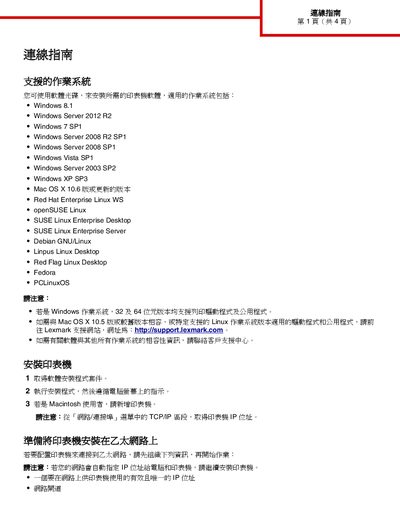
Lexmark Printer Connection Guide
The document provides a list of supported operating systems for Lexmark printer drivers, including various Windows versions, macOS, and several Linux distributions. It also describes how to obtain the printer's IP address from the TCP/IP settings.
Detailed instructions are given for installing the printer on a wired Ethernet network and for configuring wireless connections using the printer's wireless adapter, Wi‑Fi Protected Setup (WPS), PIN method, or the Embedded Web Server. Each method includes the required network information such as SSID, security type, and channel settings. This manual is written in Chinese.
Covers: Supported Operating Systems · Printer Installation · Ethernet Network Setup · Wireless Network Setup · Wi‑Fi Protected Setup (WPS) · PIN Method for WPS
Latest Lexmark manuals
Lexmark 1200 Series Multifunction Printer User Manual
User Manual 21 pages · 2 MB · ZHThe Lexmark 1200 Series multifunction printer user manual provides installation, operation, software, and troubleshooting instructions in Traditional Chinese.
Lexmark Network Setup Installation Guide
Installation Guide 19 pages · 207 KB · ZHThis guide explains how to connect a Lexmark printer to wireless or Ethernet networks and troubleshoot common network issues.
Lexmark Printer Connection Guide
Installation Guide 4 pages · 129 KB · ZHThis guide explains how to install and connect a Lexmark printer to Ethernet or wireless networks, covering supported operating systems and setup steps.
LEXMARK Pro905 Manual(1)
The PLATINUM Pro905 is a multifunction printer that offers printing, copying, scanning, and faxing capabilities. The product uses Vizix printing technology to provide sharp text and vibrant images. The product comes with a 4.3-inch touchscreen that allows you to create custom 1-touch SmartSolutions to simplify common tasks, such as scanning to email, file sharing, and more.
LEXMARK 5600-6600 Manual
This user's guide provides basic information on using the 5600-6600 Series printer, including safety information, setup, using the control panel, using the software, and more.
LEXMARK X3650 Manual
Lexmark X3650 is a color printer that supports photo printing, copying and scanning. It has fast and convenient connection and printing functions, and supports digital memory card slots, PictBridge™ or USB connections. It can print borderless photos and provides multiple printing effects.
LEXMARK Pro705 Manual
Lexmark PREVAIL Pro705 is a multifunction printer with 5-year warranty, individual XL cartridges for 3X more pages, Vizix print technology provides sharp text and vibrant images, advanced wireless-N or Ethernet connectivity, and 150-page input capacity and 50-page ADF.
LEXMARK Z82 Manual
This document introduces the features and characteristics of the products provided by Lexmark International, Inc.
LEXMARK E220 Manual
The E220 is a Lexmark laser printer that has a printing speed of 17ppm, a print resolution of 600x600dpi, and supports Windows, Mac OS, and Linux operating systems.
LEXMARK P707 Manual
The Lexmark® P707 Jetprinter™ is a thermal inkjet printer with 6-color ink cartridges, capable of printing high-quality photos with a resolution of up to 4800 x 1200 dpi. The printer has fast print speeds, with up to 17 pages per minute for black printing and up to 10 pages per minute for color printing. It can print borderless photos that resemble traditional photographs.
LEXMARK 6500 Manual
This document is the user guide for Lexmark 6500 Series printers, providing safety information and usage guidelines.
LEXMARK X6170 Manual
The X6170 is a multifunction all-in-one from Lexmark, which features professional scanning and printing at up to 4800 dpi, up to 19 ppm mono and 15 ppm colour printing and 33.6Kbps faxing for fast results.
LEXMARK X5250 Manual
The Lexmark X5250 All-In-One is a multifunction printer that can print, copy, and scan. It has a print speed of up to 20 pages per minute and a copy speed of up to 14 pages per minute. It can also print 10 x 15 cm borderless photos at a speed of up to 32 seconds.
LEXMARK X9350 Manual
This document is an introduction to the Lexmark X9350 Wireless Office All-in-One, which introduces the features of this product, including wireless technology, automatic duplex printing, professional quality printing, and multi-function All-in-One
LEXMARK S605 Manual(1)
Lexmark INTERACT S605 printer, supports color printing, copying, scanning, equipped with 4 single ink cartridges, supports wireless connection, with 3 years warranty and lifetime phone support.
Which document do I need?
User Manual
Day-to-day operation, settings and troubleshooting. Start here if the product is already set up.
Installation Guide
Mounting, wiring and first power-up. Read it before the hardware goes in.
Questions answered in Lexmark manuals
How do I install the Lexmark 1200 Series printer?
Follow the installation guide in the manual, which provides hardware and software setup steps; see the “安裝多功能複合機” section.
How do I enable double‑sided printing?
Select the “雙面列印” tab in the Print Content dialog to set up duplex printing.
How do I configure a Lexmark printer using Wi‑Fi Protected Setup (WPS)?
Use the WPS button or PIN method on the wireless router and follow the on‑screen prompts; the printer will automatically detect the SSID and WPA passphrase.
How can I connect the Lexmark printer to a wireless network using Wi‑Fi Protected Setup (WPS)?
First ensure the printer’s wireless adapter is installed and the access point supports WPS. Then navigate on the printer to Settings → Network/Ports → Wireless → Wi‑Fi Protected Setup and choose the Push‑Button (PBC) method, following the on‑screen prompts to complete the connection.
How do I find the printer’s IP address?
Open the printer’s control panel, go to Settings → Network/Ports → TCP/IP, and the IP address will be displayed in that section.