
This guide introduces the basic functions and usage of the GXP1450 phone
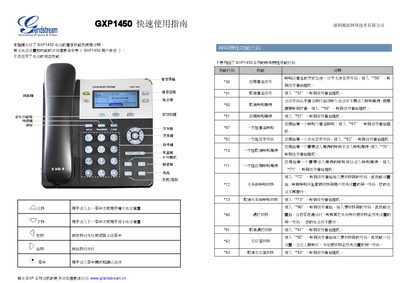
This quick guide introduces the basic functions of the Grandstream GXP1450 IP phone, including how to make and receive calls, use the LED indicators, and configure common settings. It also lists the main feature set of the GXP1450 series.
The guide explains five ways to establish a call, how to hold and wait for calls, and details both blind transfer and attended transfer methods. It also describes the message‑reminder LED and other user‑interface functions. This manual is written in Chinese.
| Supported lines | 3 |
|---|
The GXP1450 provides five different methods for establishing a call, such as using the LINE button or the quick‑dial feature.