
This document provides information about the specifications and accessories of the EPSON Stylus Color 777/777i printer, including printing method, nozzle configuration, print resolution, control code, cartridge part numbers, and paper types.
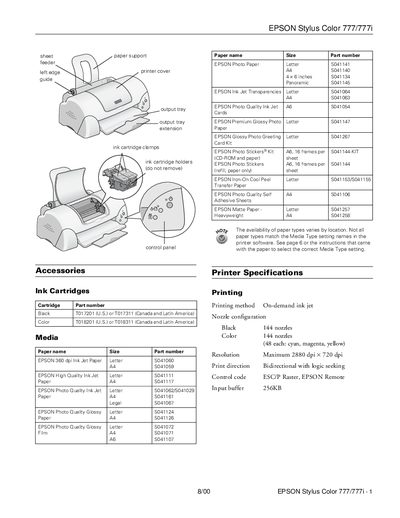
This document provides instructions for the EPSON Stylus Color 777/777i inkjet printer. It details the installation of ink cartridges, including precautions for first-time use and handling yellow tape seals. The manual also explains how to load various paper types, such as plain bond, transparencies, and photo paper, into the sheet feeder.
| Printing method | On-demand ink jet |
|---|---|
| Resolution | Maximum 2880 dpi x 720 dpi |
| Sheet feeder capacity | 100 sheets of 17 lb (64 g/m²) paper |
| Power consumption | Approx. 17 W (ISO Letter Pattern) |
The black ink cartridge has a print capacity of 600 pages at 3.5% coverage (ISO/IEC letter pattern).
If the error light is on, check if paper is out, loaded incorrectly, or jammed. If necessary, reload paper or clear the jam.