
Key facts
- Brand
- DELL
- Model
- W-AP100 Series
- Category
- Other network devices
- Documents
- 2
- Languages
- ES · EN
- Last added
- 2023-11-22
Start here
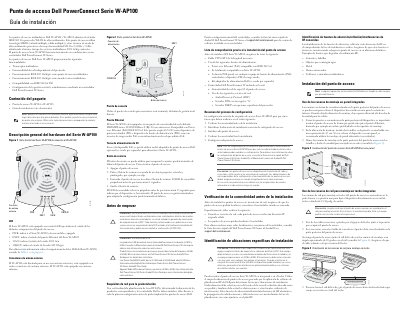
Dell PowerConnect W-AP100 Series Access Point Installation Guide
Dell PowerConnect W-AP100 Series access points (W-AP104 and W-AP105) support IEEE 802.11n with MIMO and operate in the 2.4 GHz and 5 GHz bands while supporting existing 802.11a/b/g wireless services. The series works only with a Dell PowerConnect W-Series controller and supports IEEE 802.3af PoE.
The guide describes hardware such as four status LEDs, external antenna connectors on the W-AP104, console and Ethernet ports, DC power jack, and reset button. It also covers pre-installation network requirements, a pre-installation checklist, connectivity verification, installation location planning, RF interference sources, and wall or ceiling rail mounting steps. This manual is written in Spanish.
Dell W-AP100 Series specifications
| Wireless standard | IEEE 802.11n |
|---|---|
| MIMO | Supported |
| Frequency bands | 2.4 GHz and 5 GHz |
| Ethernet port | 10/100/1000Base-T (RJ-45), MDI/MDX, autosensing |
| Power over Ethernet | IEEE 802.3af |
| LED indicators | Four: PWR, ENET, 11A/N, 11B/G/N |
| External antenna connectors (W-AP104) | Four |
| Internal antennas (W-AP105) | Yes |
| RF exposure distance | Maximum 35 cm between radiator and body |
| Wall mounting screw spacing | 4.7 cm |
| Ceiling rail width | 15/16 inch |
| DC power input | 12 V at 1.25 A |
Source: Dell PowerConnect W-AP100 Series Access Point Installation Guide
All Dell W-AP100 Series documents by type
Mounting, wiring and first power-up. Read it before the hardware goes in.
Questions answered in these manuals
What controller is required for the W-AP100 series?
It operates only in combination with a Dell PowerConnect W-Series controller.
From: Dell PowerConnect W-AP100 Series Access Point Installation Guide
How many LEDs are on the access point?
Four LEDs indicate status: PWR, ENET, 11A/N, and 11B/G/N.
From: Dell PowerConnect W-AP100 Series Access Point Installation Guide
Which controller is required for the W-AP100 Series?
The W-AP100 Series access point works only in conjunction with a Dell PowerConnect W-Series Controller.
From: Dell PowerConnect W-AP100 Series Access Point Installation Guide
How many LEDs does the W-AP100 Series have?
It is equipped with four LEDs: PWR, ENET, 11A/N, and 11B/G/N.
From: Dell PowerConnect W-AP100 Series Access Point Installation Guide