
This document provides instructions on how to set up and use a Dell computer.
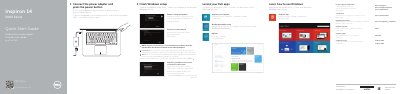
This Dell Inspiron 5442 quick start guide covers finishing Windows setup, registering the computer, Dell Backup and Recovery, product support and manuals, and regulatory and safety information. It also includes help and tips for enabling security and updates and connecting to a network.
The guide identifies laptop features and shortcut keys, including ports, camera, microphone, media-card reader, power button, and function-key shortcuts for audio, brightness, wireless, and display. It notes that more specifications are available at dell.com/support.
| USB 2.0 ports | 1 |
|---|---|
| USB 3.0 ports | 2 |
| HDMI port | 1 |
| Network port | 1 |
| Headset port | 1 |
| Media-card reader | 1 |
Enter the password for the wireless network access when prompted.
See Specifications at dell.com/support.
Scan to access how-to information at Dell.com/QRL/Inspiron/14.