
Dell Inspiron 15 3000 Series (15-3552) Laptop Quick Start Guide

Dell Inspiron 15 3000 Series Laptop Quick Start Guide.
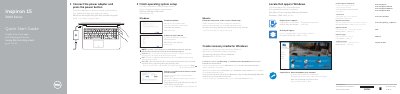

Dell Inspiron 15 3000 Series (15-3552) Laptop Quick Start Guide - cover page
Brand
DELL
Category
Laptops
Document type
Quick Start Guide
Language
English
Pages
2
File format
PDF
File size
740 KB
Published
22 November, 2023
Updated
22 November, 2023
MD5 checksum
0738195A5954D878EE0A83BD342D17E9

About this manual

This quick start guide helps set up a Dell Inspiron 15 3000 Series laptop (computer model Inspiron 15-3552). It covers connecting the power adapter, completing operating system setup, enabling Dell updates, connecting to a network, and signing in.

It also identifies the laptop's ports and controls and lists shortcut keys for audio, volume, playback, brightness, wireless, sleep, and other functions.

What's inside

  • Connect the power adapter and press the power button
  • Finish operating system setup
  • Enable Dell updates
  • Connect to your network
  • Create recovery media for Windows
  • Locate Dell apps in Windows
  • Features
  • Shortcut keys

Specifications

USB 2.0 ports2
USB 3.0 port1
HDMI port1
Headset port1
Media-card reader1
Security-cable slot1

Frequently asked questions

How do I finish operating system setup?

Follow the instructions on the screen to finish setup.

How do I create recovery media for Windows?

In Windows search, type Recovery, click Create a recovery media, and follow the instructions on the screen.

Where can I find more specifications?

See Specifications at Dell.com/support.

Download PDF (740 KB)

More DELL Manuals


View all DELL manuals →