
Key facts
- Brand
- DELL
- Model
- W-AP93H
- Category
- Wireless connection
- Documents
- 3
- Languages
- EN · ES
- Last added
- 2026-10-03
Start here
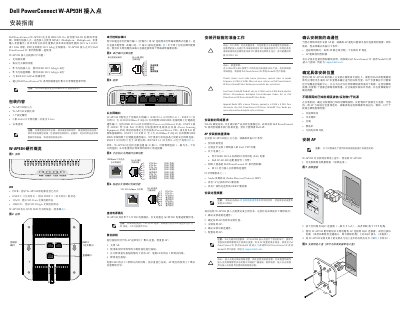
Dell W-AP93H Access Point Installation Guide
This guide explains how to install and configure the Dell PowerConnect W-AP93H wireless access point. It covers package contents, hardware layout, LED status meanings, Ethernet port functions, power options (PoE and 12 V DC), and the reset procedure.
The document also details pre‑installation requirements, mounting steps, wiring, and post‑installation verification, along with regulatory compliance notes for FCC, EU, and RoHS.
Dell W-AP93H specifications
| Frequency Bands | 2.4 GHz and 5 GHz |
|---|---|
| MIMO Technology | Supported |
| PoE Compatibility | IEEE 802.3af |
| Ethernet Ports | 5 ports (ENET 0-4) |
Source: Dell PowerConnect W-AP93H Wireless Access Point Installation Guide
All Dell W-AP93H documents by type
Mounting, wiring and first power-up. Read it before the hardware goes in.
Questions answered in these manuals
What controller is required for the W-AP93H?
The W-AP93H functions only with a Dell PowerConnect W-Series controller.
From: Dell PowerConnect W-AP93H Wireless Access Point Installation Guide
What are the RF interference sources to avoid?
Sources include concrete, metal, microwave ovens, and wireless phones.
From: Dell PowerConnect W-AP93H Wireless Access Point Installation Guide
What power sources are supported?
IEEE 802.3af-compliant Power over Ethernet or a Dell AP AC-DC adapter kit.
From: Dell PowerConnect W-AP93H Access Point Installation Guide
How is the AP reset to factory defaults?
Power off, press and hold the reset button, power on without releasing, then release after the LED flashes.
From: Dell PowerConnect W-AP93H Access Point Installation Guide