
This document is the user manual of Logitech M-TP20DB wireless mouse
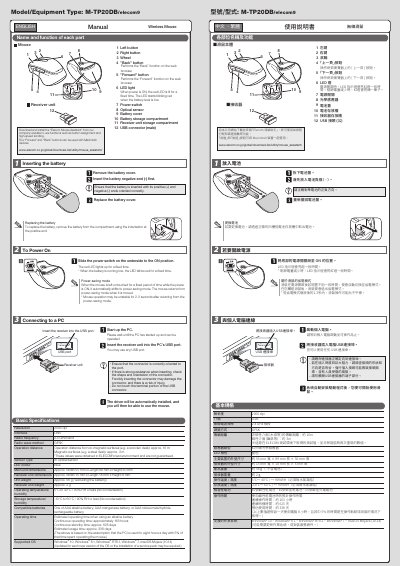
The Elecom M-TP20DB is a wireless optical mouse featuring a 2000 dpi resolution and a 2.4 GHz radio frequency interface. It includes dedicated 'Back' and 'Forward' buttons for web navigation and is compatible with Windows and macOS operating systems. The device utilizes a blue LED optical sensor and supports AAA batteries, offering an estimated operating time of approximately 163 hours.
| Resolution | 2000 dpi |
|---|---|
| Interface | USB |
| Radio frequency | 2.4 GHz band |
| Radio wave method | GFSK |
| Sensor Type | Optical sensor |
| LED colour | Blue |
| Main unit dimensions | Approx. Width 55 mm x Length 89 mm x Height 30 mm |
| Unit weight | Approx. 58 g excluding the battery |
| Compatible batteries | AAA alkaline, AAA manganese, or AAA nickel-metal hydride |
| Supported OS | Windows 10, 8.1, RT8.1, 7, macOS Mojave |
The estimated operating time is approximately 163 hours when using an alkaline battery.
Yes, the Forward and Back buttons can be used with Macintosh devices.