
Key facts
- Manuals
- 5
- Languages
- JA
- Last added
- 2026-10-03
Featured Elecom manuals
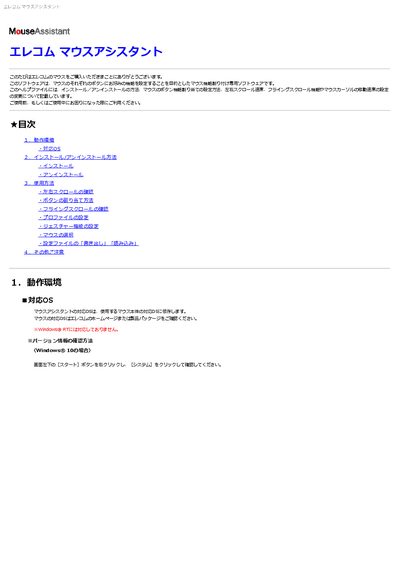
ELECOM Mouse Assistant 5 Software User Manual
This manual describes the ELECOM Mouse Assistant 5 utility, which lets you assign custom functions to each button of a compatible ELECOM mouse, adjust scrolling speed, enable flying scroll, and create profiles. It covers system requirements, installation and uninstallation procedures, and detailed usage instructions.
Key sections include operating‑system compatibility, step‑by‑step installation, button‑assignment workflow, left/right tilt‑wheel scrolling, gesture configuration, mouse selection when multiple devices are connected, and how to export or import configuration files. Troubleshooting tips for sleep‑resume issues and other common problems are also provided. This manual is written in Japanese.
Covers: System Requirements · Installation and Uninstallation · Using the Software · Left/Right Tilt‑Wheel Scrolling · Button Assignment · Gesture Configuration
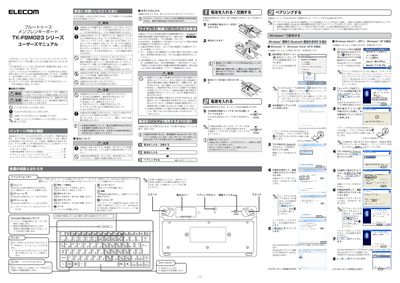
Elecom TK-FBM023 Series Bluetooth Membrane Keyboard User Manual
This manual explains how to set up and safely use the Elecom TK-FBM023 Series Bluetooth membrane keyboard. It includes package contents, battery installation, pairing procedures for Windows, and important safety warnings for wireless operation.
The document also provides technical specifications, troubleshooting tips, and warranty information, helping users maintain reliable performance in various environments. This manual is written in Japanese.
Covers: Package Contents · Cleaning and Care · Wireless Safety Notes · Setup and Pairing Procedure · Battery Installation and Replacement · Windows Pairing Instructions
Elecom LD-WL11/PCC2 Wireless PC Card User Manual
This manual explains safety precautions, how to install and remove the LD‑WL11/PCC2 card, and the required driver installation process for Windows operating systems. It also covers the use of the configuration utility, network settings, and optional features such as WEP security and firmware upgrades.
Additional sections describe the product’s specifications, supported operating environments, warranty information, and how to register the product for support. The guide includes troubleshooting tips and contact details for Elecom’s support center. This manual is written in Japanese.
Covers: はじめに · 安全にお使いいただくために · 導入の手順フロー · バッケージの内容を確認する · 本製品の概要について · 無線LANの基礎知識
Latest Elecom manuals
ELECOM Mouse Assistant 5 Software User Manual
User Manual 23 pages · 2.1 MB · JAThe ELECOM Mouse Assistant 5 User Manual explains how to install, configure and use the software for assigning functions to ELECOM mouse buttons on Windows.
Elecom TK-FBM023 Series Bluetooth Membrane Keyboard User Manual
User Manual 2 pages · 2.8 MB · JAUser manual for the Elecom TK-FBM023 Series Bluetooth membrane keyboard, covering setup, pairing, safety, and specifications.
Elecom LD-WL11/PCC2 Wireless PC Card User Manual
User Manual 43 pages · 1.1 MB · JAThe Elecom LD‑WL11/PCC2 wireless PC card user manual provides safety instructions, installation steps, driver setup, and network configuration details.
ELECOM LD-PS2/P Manual
ELECOM CK-DC5 Manual
Which document do I need?
User Manual
Day-to-day operation, settings and troubleshooting. Start here if the product is already set up.
Questions answered in Elecom manuals
What should I do if the mouse stops working after sleep?
Unplug the mouse from the USB port, plug it back in, and restart the software if necessary.
What batteries are required for this keyboard?
It uses two AA cells – either alkaline, manganese, or Ni‑MH rechargeable batteries.
From: Elecom TK-FBM023 Series Bluetooth Membrane Keyboard User Manual
What is the wireless range of the keyboard?
Approximately 10 m in non‑magnetic environments and about 3 m when used near magnetic objects such as metal desks.
From: Elecom TK-FBM023 Series Bluetooth Membrane Keyboard User Manual