
This is a user manual for a computer mouse, including instructions for use and precautions
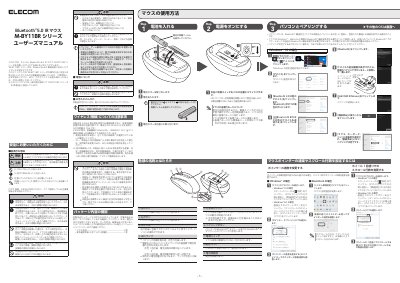
This is the user manual for the ELECOM M-BY11BR Bluetooth 5.0 IR mouse. It explains how to pair and operate the mouse with a computer, including Windows and Mac instructions. Safety precautions are detailed, such as avoiding heat, moisture, and magnetic fields. The manual also covers battery use, cleaning, and troubleshooting.
The mouse features left and right buttons, a scroll wheel, and an LED indicator for battery status. It uses 2.4GHz wireless technology and is not waterproof. Users are warned against using it near medical devices or in aircraft. This manual is written in Japanese.
| Wireless Technology | Bluetooth®5.0 |
|---|---|
| Frequency Band | 2.4GHz |
| Interference Distance | 10m |
| Battery Type | AA (Single 4-cell) |
Press and hold the pairing button for 2-3 seconds until the LED blinks red. Then go to Bluetooth settings on your computer and select 'ELECOM IR Mouse' to connect.
Check for battery issues, remove and reinsert batteries, or consult the manual for troubleshooting steps. Do not attempt to open or repair the device yourself.
No, do not use it in hospitals or other places where electromagnetic interference is prohibited, as it may affect medical devices like pacemakers.