
User manual for the Elecom TK-FBM023 Series Bluetooth membrane keyboard, covering setup, pairing, safety, and specifications.
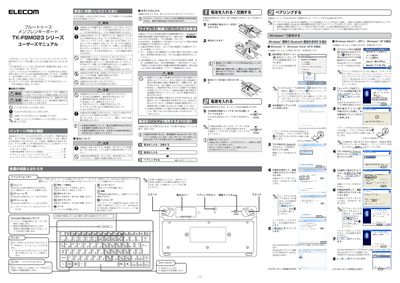
This manual explains how to set up and safely use the Elecom TK-FBM023 Series Bluetooth membrane keyboard. It includes package contents, battery installation, pairing procedures for Windows, and important safety warnings for wireless operation.
The document also provides technical specifications, troubleshooting tips, and warranty information, helping users maintain reliable performance in various environments. This manual is written in Japanese.
| Model | TK-FBM023 Series |
|---|---|
| Supported OS | Windows 7, Vista (SP2), XP (SP2‑SP3) |
| Connection method | Bluetooth (FH‑SS, 2.4 GHz) |
| Bluetooth version | Bluetooth 3.0 Class 2 (3.0/2.1+EDR/2.1/2.0+EDR/2.0) |
| Key count | 82 Japanese keys + 10 function keys |
| Dimensions (W×D×H) | 237.0 mm × 123.5 mm × 22.0 mm |
| Operating temperature / humidity | 5 °C–40 °C / 10 %–90 % RH |
| Battery type | 2 × AA alkaline, manganese, or Ni‑MH |
| Estimated operation time (alkaline) | ≈ 4 months |
It uses two AA cells – either alkaline, manganese, or Ni‑MH rechargeable batteries.
Approximately 10 m in non‑magnetic environments and about 3 m when used near magnetic objects such as metal desks.