
Philips X523 Mobile Phone User Manual

This is a user manual for Philips X523 phone
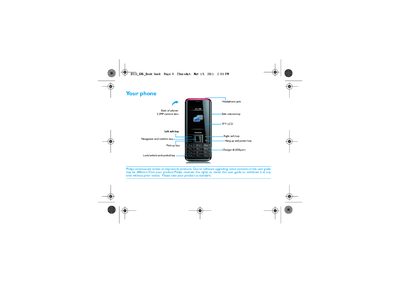

Philips X523 Mobile Phone User Manual - cover page
Brand
Philips
Category
Cell Phones
Document type
User Manual
Language
English
Pages
34
File format
PDF
File size
3 MB
Published
23 March, 2012
Updated
30 September, 2023
MD5 checksum
28181CEA9B45D05F55BAFDBB6F8428E7

About this manual

The Philips X523 user manual describes how to set up and use the mobile phone, including inserting SIM and memory cards, charging the battery, connecting to a PC, and making calls.

It also covers messaging, email, camera, and settings, with safety instructions and troubleshooting guidance.

What's inside

  • Getting started
  • Insert SIM card and Charge the battery
  • Insert a Micro SD card (Memory card)
  • Connect to your PC
  • Customize your phone
  • Basic function
  • Use basic call functions
  • Receive and send messages
  • Enter text
  • Manage your phonebook

Specifications

Camera3.2MP camera lens
BatteryBattery level shown by bars in upper-right corner
SIMDual SIM setting available

Frequently asked questions

How do I insert a SIM card?

Turn off the phone, remove the back cover, take out the battery, and insert the SIM card.

How do I make an emergency call without a SIM card?

Press the R key to make the emergency call.

What is the standard emergency number in Europe?

The standard emergency number in Europe is 112.

Download PDF (3 MB)

More Philips Manuals


View all Philips manuals →