
The document is a user guide for Philips mobile phones, providing information on the features and operation of the phone.
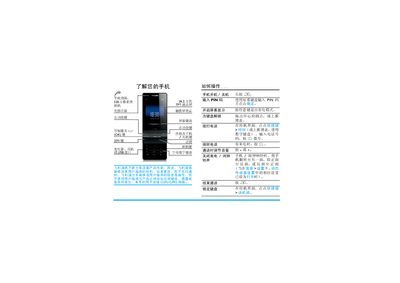
This guide introduces the Philips mobile phone, covering basic operations such as powering on/off, dialing, answering calls, and using the built‑in keypad, touch screen, and stylus. It explains how to navigate the main menu, access shortcuts, and configure common settings like sound, display, and sensors.
Additional sections detail first‑time use procedures (SIM and battery installation), expanding storage with a Micro SD card, using the camera, browser, media player, Bluetooth, and various tools such as the calculator and clock. The manual also includes troubleshooting tips, warranty information, and environmental compliance details. This manual is written in Chinese.
| Display | 262,000‑color TFT LCD |
|---|---|
| Camera | 3.2 MP rear camera |
| Maximum Micro SD Capacity | 8 GB |
Open the back cover, remove the battery, align the SIM card with the slot (cut corner inward, metal contacts down) and push it in, then re‑install the battery and close the cover.
Connect the charger to the phone’s charging connector as shown; the battery icon will display charging progress.
Go to Settings > Display > Auto‑adjust brightness and turn it on.
Open the menu, select Settings > General > Date & Time, then choose the desired format and set the values.