
Philips mobile phone is a phone that connects to the GSM/GPRS network, equipped with a camera, supports dual SIM card switching, provides various main menu functions, and allows setting of shortcuts.
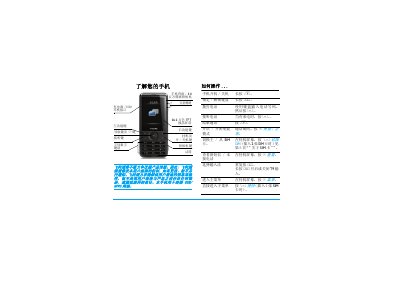
This guide introduces the Philips X710 mobile phone, covering basic operations such as powering on/off, dialing, answering calls, and using the keypad. It also details the phone’s hardware features, including a 3.0‑megapixel camera, a 262,000‑color TFT display, and dual SIM slots.
The manual provides step‑by‑step instructions for inserting SIM and Micro‑SD cards, charging the battery, setting the clock, and customizing shortcuts. It includes troubleshooting tips, warranty information, and regulatory compliance statements. This manual is written in Chinese.
| Camera resolution | 3.0 megapixels |
|---|---|
| Display | 262,000‑color TFT LCD |
| SIM slots | Dual SIM (two slots) |
| Micro‑SD card support | Up to 8 GB |
| Battery full charge time | Approximately 6 hours |
Remove the back cover, take out the battery, align the SIM card with the slot (corner first, metal contacts down) and push it into the metal clip.
A full charge takes about six hours.
Yes, the phone supports a Micro‑SD card up to 8 GB.
Press the R key on the standby screen to toggle between the primary and secondary SIM cards.