
This document introduces the external screen display function of a mobile phone, which can be easily activated by the volume side key and display various information such as new events, local time, and caller ID. It also provides various operation methods, such as turning off the ringtone, rejecting incoming calls, and adjusting the volume.
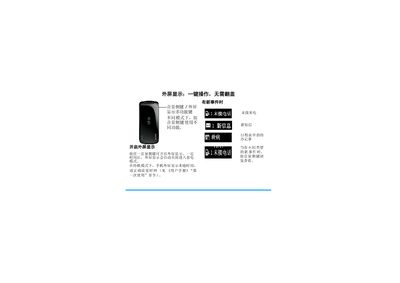
The phone features an external screen that can be turned on with the volume side key. Pressing the volume key toggles the external display, shows the current time in standby mode, and indicates new events. Different volume‑key actions allow you to silence the ringtone, reject calls, or adjust the volume during a call.
When a call arrives, the external screen shows the caller's number or stored name. The alarm can be stopped by a short press of the volume key or silenced with a long press. While playing background music or FM radio (e.g., 93.5 MHz), the volume is also controlled by repeatedly pressing the volume side key. This manual is written in Chinese.
Press the volume side key to enable the external screen display.
Tap the volume side key to silence the ringtone; long‑press the volume side key to reject the call.
Repeatedly press the volume side key to increase or decrease the volume.