
This document introduces the features and operation methods of Philips mobile phones, including power on/off, dialing, answering calls, vibration mode, etc. It also provides instructions for using the main menu and shortcuts.
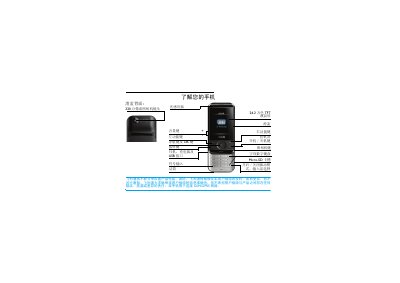
This guide introduces the Philips mobile phone, covering hardware features such as the 3.2 MP camera, TFT LCD screen, and built‑in light sensor. It explains how to insert the SIM card, charge the battery, and use the slide‑cover for calls and camera access.
Detailed sections describe navigation keys, shortcut configuration, Bluetooth pairing, scenario modes, power‑saving settings, and troubleshooting tips, helping users get the most out of their device. This manual is written in Chinese.
| Camera resolution | 3.2 MP |
|---|---|
| Screen type | 262,000‑color TFT LCD |
| Memory card slot | Micro‑SD card slot |
| Ambient light sensor | Built‑in light sensor for automatic backlight adjustment |
Press and hold the power key (marked ) for a few seconds to power the phone on or off.
Remove the back cover, take out the battery, align the SIM card with the cut corner outward and metal contacts down, insert it into the slot, then re‑install the battery and close the cover.
Open Settings > Device > Shortcut, select a function, then press + or – to choose its position and confirm with the OK key.