
This document is a quick installation guide for MFC-J265W, which introduces the packaging components, safe operation, ink cartridge installation, paper loading, and power cord and telephone line connection of the device.
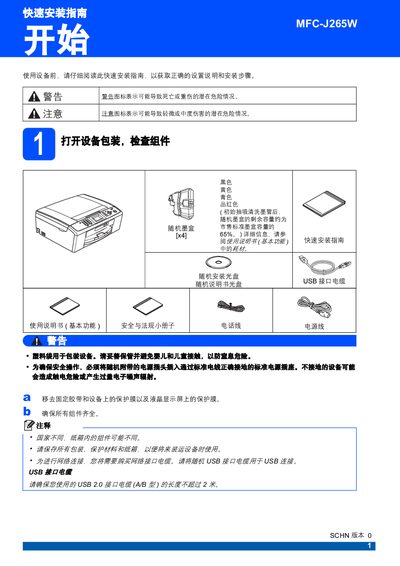
The guide begins with unpacking the printer, checking that all components are present, and removing protective films. It then explains how to load A4 paper, adjust the paper guides, and secure the paper tray. Next, it covers connecting the power cord and telephone line, installing the ink cartridges, performing a print‑quality check, and configuring language, date/time, personal information, and fax reception mode. Additional sections describe LCD contrast adjustment, network setup for Windows and Macintosh, and software installation of the MFL‑Pro Suite. This manual is written in Chinese.
| Ink cartridge remaining capacity after initial cleaning | approximately 65% of standard cartridge capacity |
|---|---|
| Maximum USB 2.0 cable length | 2 meters |
Press the function key, select initial settings, choose the desired receive mode, confirm with OK, and exit; the LCD will display the current mode.
Use a USB 2.0 cable that does not exceed 2 meters in length, as longer cables are not supported.