
Key facts
Start here
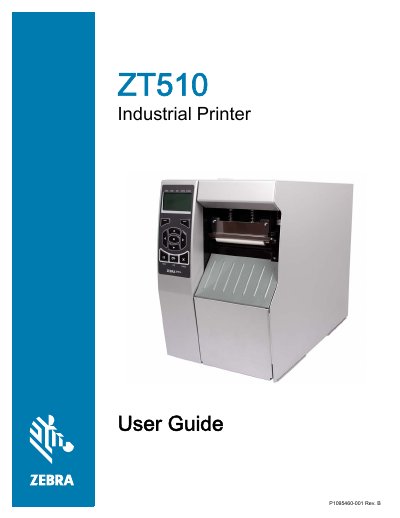
Industrial Printer ZT510 P1095460-001 Rev. B User Guide
This manual provides instructions for the Zebra ZT510 industrial printer, a high-performance device designed for demanding applications. It covers the entire lifecycle of the printer, from unpacking and initial setup to routine maintenance and troubleshooting. Key topics include loading media and ribbon, configuring communication interfaces (USB, Serial, Parallel, Ethernet, Wireless), and adjusting print settings for optimal quality.
Read onlineZebra ZT510 specifications
| ZT600 Series maximum print width | Up to 6.6 in (168 mm) |
|---|---|
| ZT400 Series and ZT600 Series resolution options | 203, 300, and 600 dpi |
| ZT510 duty cycle | 24/7 |
| ZT200 Series ribbon capacity | 300 m |
| ZT400 Series ribbon capacity | 450 m |
| ZT200 Series memory (RAM) | 128 MB DRAM |
| ZT510 memory (Flash) | 2 GB Flash |
| ZT510 standard connectivity | USB, Ethernet, Bluetooth LE, and Serial |
| ZT200 Series print width | 4.09 in (104 mm) |
Source: Zebra ZT200, ZT400, ZT510 and ZT600 Series Industrial Printer Positioning Guide
All Zebra ZT510 documents by type
Day-to-day operation, settings and troubleshooting. Start here if the product is already set up.
Questions answered in these manuals
What is the minimum distance required between the printer and the user's body for safety?
The equipment should be installed and operated with a minimum distance of 20cm between the radiator and your body.
From: Industrial Printer ZT510 P1095460-001 Rev. B User Guide
What should be done if a printed barcode does not scan?
Perform the Optimal Darkness and Speed Test to adjust the darkness or print speed settings as necessary.
From: Industrial Printer ZT510 P1095460-001 Rev. B User Guide
Which Zebra industrial printers are listed with a 24/7 duty cycle?
The ZT510 and ZT600 Series are listed with a 24/7 duty cycle.
From: Zebra ZT200, ZT400, ZT510 and ZT600 Series Industrial Printer Positioning Guide
What print resolutions are listed for the ZT400 Series?
The ZT400 Series lists 203, 300, and 600 dpi printing.
From: Zebra ZT200, ZT400, ZT510 and ZT600 Series Industrial Printer Positioning Guide