
Key facts
Start here
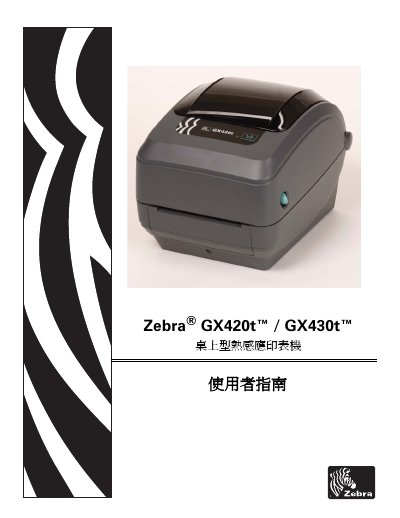
Zebra GX420t/GX430t Desktop Thermal Transfer Printer User Guide
This guide introduces the GX420t and GX430t desktop thermal‑transfer printers, describing the contents of the packaging, basic functions and how to power the device on and off. It also covers the initial installation steps, loading of ribbons and media, and basic printing procedures.
Later sections detail advanced printing options, control‑panel navigation, routine maintenance, and a comprehensive troubleshooting chapter. Appendices provide interface wiring diagrams, physical dimensions, and ZPL configuration reference tables. This manual is written in Chinese.
Zebra GX430t™ specifications
| Resolution (default) | 203 dpi |
|---|---|
| Resolution (alternative) | 300 dpi |
| RAM | 2104 kB |
| Optional Memory | 65 536 kB |
| On‑board Flash | 1 536 kB |
| RTC Battery | 3 V lithium |
Source: Zebra GX420t/GX430t Desktop Thermal Transfer Printer User Guide
All Zebra GX430t™ documents by type
Day-to-day operation, settings and troubleshooting. Start here if the product is already set up.
Questions answered in these manuals
How can I reduce radio‑frequency interference from the printer?
Adjust the antenna direction or position, increase the distance to the receiver, plug the printer into a different power outlet, or contact a qualified radio‑frequency technician.
From: Zebra GX420t/GX430t Desktop Thermal Transfer Printer User Guide
What battery does the printer use and who may replace it?
The printer uses a 3 V lithium RTC battery, and it must be replaced only by a qualified service technician using Zebra‑approved replacement batteries.
From: Zebra GX420t/GX430t Desktop Thermal Transfer Printer User Guide
Who should use this document?
This User Guide is intended for use by any person who needs to operate or to troubleshoot problems with the printer.
From: Zebra GX420t™ / GX430t™ Desktop Thermal Printer User Guide
What document conventions are used?
The guide uses conventions such as alternate color, command line examples, file and directory names, and icons.
From: Zebra GX420t™ / GX430t™ Desktop Thermal Printer User Guide