
Key facts
Start here
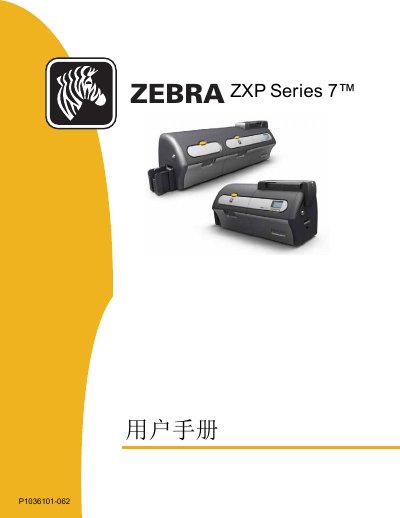
Zebra ZXP Series 7 Printer User Manual
This manual covers the installation, safety and regulatory compliance information for the Zebra ZXP Series 7 printer. It includes FCC, Industry Canada, ANATEL and other compliance statements, as well as guidelines for antenna placement and grounding.
The document also details the printer’s technical specifications, such as antenna gain, operating frequency, and wireless capabilities, and provides troubleshooting steps, Windows configuration, Wi‑Fi setup, and SDK reference for developers.
Zebra ZXP Series 7 specifications
| Color adjustment range | -25 to +25 |
|---|---|
| Sharpening filter options | None, Low, Normal, High |
| Preheat adjustment range | -50 to 50 |
All Zebra ZXP Series 7 documents by type
Day-to-day operation, settings and troubleshooting. Start here if the product is already set up.
Questions answered in these manuals
How do I access the Color (YMC) Optimization Tab?
Select Start > Devices and Printers, right-click on the Zebra ZXP Series 7 Card Printer listing, and select Printing preferences > Color (YMC) Optimization.
What color printing adjustments are available for the Zebra ZXP Series 7 Card Printer?
Full color printing adjustments include Brightness, Contrast, Gamma, Saturation, Red, Green, and Blue, with a range from -25 to +25.
What is the required minimum distance between the printer antenna and the user?
The manual specifies a minimum separation of 20 cm between the antenna and the user.
What wireless frequency does the printer operate on?
It operates on the 2.4 GHz band (802.11 b/g) with a 1.3 dBi antenna.
Which ribbons and laminates should I use in the ZXP Series 7?
The printer is designed to work only with Zebra True Colours ribbons and Zebra True Secure laminates, which Zebra recommends for optimal printing quality and proper printer performance.
What items are included with the printer?
The shipping carton includes the Quick Start Guide, a CD-ROM with InstallWizard, the dual cleaning cartridge, manual feed cleaning cassette, USB cable, power cable, feeder cartridge, and output hopper.