
Key facts
Start here
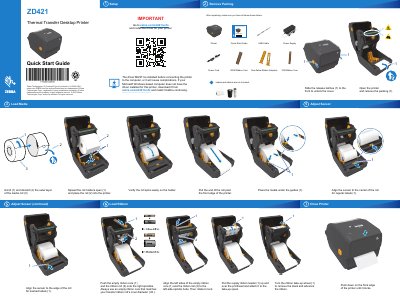
Zebra ZD421T Thermal Transfer Desktop Printer Quick Start Guide
This guide helps you install the printer driver before connecting the device to your computer. It also shows how to load media and ribbon, adjust the sensor, and close the printer after setup. The guide includes multilingual instructions and visual diagrams for each step.
Read onlineZebra ZD421 specifications
| Print Speed | Up to 6 ips (mm/s) |
|---|---|
| Media Width | 0.585–4.41 inches (15–112mm) for ZD421t, 0.585–4.65 inches (15–118mm) for ZD421c, 0.585–4.25 inches (15–108mm) for ZD421d |
| Memory | 512MB Flash Memory, 256MB SDRAM |
| Operating System | Link-OS® |
| Warranty | 2 years |
All Zebra ZD421 documents by type
The shortest path to a working setup, usually only a few pages.
Day-to-day operation, settings and troubleshooting. Start here if the product is already set up.
Questions answered in these manuals
What media types can the Zebra ZD421 print on?
The Zebra ZD421 can print on rolls, continuous paper, label stock, tag stock, receipt paper, and ribbon stock.
What is the warranty period for the Zebra ZD421?
The Zebra ZD421 comes with a 2-year warranty.
Do I need to install the driver before connecting the printer?
Yes, the driver MUST be installed before connecting the printer to the computer, or it will cause complications.
From: Zebra ZD421T Thermal Transfer Desktop Printer Quick Start Guide
Where can I download the driver for this printer?
Download the driver from zebra.com/zd421t-info and install it before continuing.
From: Zebra ZD421T Thermal Transfer Desktop Printer Quick Start Guide
Which printer models does this user guide cover?
It covers the Zebra ZD421 and ZD621 Series Link-OS printers.
From: Zebra ZD421 and ZD621 Series Link-OS 4-inch Desktop Thermal Printers User Guide
What is the publication date of this guide?
The publication date is June 4, 2021.
From: Zebra ZD421 and ZD621 Series Link-OS 4-inch Desktop Thermal Printers User Guide