
Key facts
- Manuals
- 89
- Models
- 15
- Categories
- 3
- Languages
- ZH · EN
- Last added
- 2026-10-03
Zebra models by category
Featured Zebra manuals
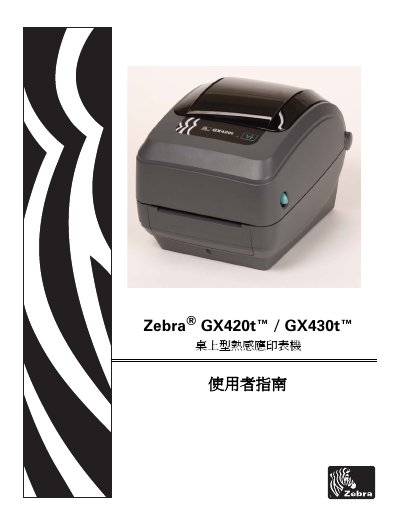
Zebra GX420t/GX430t Desktop Thermal Transfer Printer User Guide
This guide introduces the GX420t and GX430t desktop thermal‑transfer printers, describing the contents of the packaging, basic functions and how to power the device on and off. It also covers the initial installation steps, loading of ribbons and media, and basic printing procedures.
Later sections detail advanced printing options, control‑panel navigation, routine maintenance, and a comprehensive troubleshooting chapter. Appendices provide interface wiring diagrams, physical dimensions, and ZPL configuration reference tables. This manual is written in Chinese.
Covers: Introduction · Getting Started · Printing Operations · Printer Options · Control Panel Operation · Maintenance
Zebra ZT200, ZE500, ZT400, PAX4, HC100, eS4M, 105SL, 105SLPlus, RXi, Xi, ZR, ZebraNet Product Guide
This guide covers a range of Zebra label‑printing and RFID products, providing model‑specific technical data, regulatory compliance information (FCC, ANATEL, NCC, Mexican NOM) and wireless communication details. Each product entry includes model identifiers, antenna requirements and supported standards.
Key sections include wireless LAN specifications (802.11 b/g/n, power levels), RFID frequency bands, and regulatory notices for different regions. The document is organized by model and by compliance category, making it a concise reference for installers and technicians.
Covers: Regulatory Compliance · Wireless LAN (WLAN) Specifications · RFID Specifications · Antenna Requirements · Model Index · FCC Information
Zebra MC95XX Series Regulatory Information
This document provides the regulatory and safety information required for the Zebra MC95XX series handheld devices (MC9590, MC9596, MC9598, MC959B) that run Windows Mobile 6.X. It includes warranty references, service contacts, and the legal disclaimer that Zebra is not liable for product misuse.
The guide details wireless module certifications, country‑specific approvals, battery handling and safety guidelines, and health recommendations for use in vehicles, aircraft, and medical environments. It also lists the maximum operating temperature (50 °C) and battery charging temperature (40 °C) and provides links to Zebra’s compliance statements and recycling programs.
Covers: Regulatory Compliance · Wireless Communication Modules · Country/Region Approvals · Safety and Health Guidelines · Battery Information · Legal Disclaimer
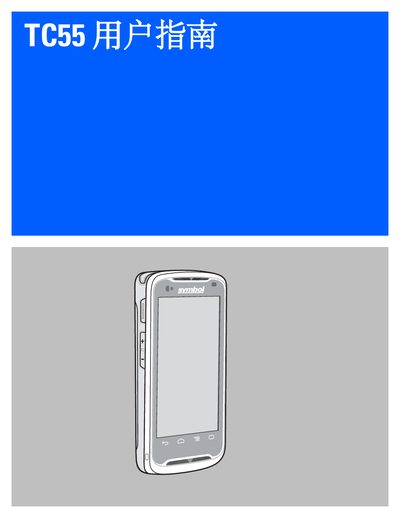
Zebra TC55 User Guide
This guide covers everything needed to get started with the Zebra TC55, including unpacking, SIM and microSD installation, battery charging, and basic configuration of the device’s display, sound, and wireless settings.
Later sections detail phone functions, application usage, data capture with built‑in scanners and camera, wireless connectivity options, accessories, maintenance procedures, troubleshooting tips, and full technical specifications. This manual is written in Chinese.
Covers: Getting Started · Configuration · Using TC55 · Phone · Applications · Data Capture
Latest Zebra manuals
Zebra GX420t/GX430t Desktop Thermal Transfer Printer User Guide
User Manual 138 pages · 7.6 MB · ZHThe Zebra GX420t/GX430t user guide explains setup, operation, maintenance and troubleshooting for the desktop thermal‑transfer printer.
Zebra ZT200, ZE500, ZT400, PAX4, HC100, eS4M, 105SL, 105SLPlus, RXi, Xi, ZR, ZebraNet Product Guide
Product Leaflet 96 pages · 882 KB · ENThe Zebra product guide lists specifications, compliance and technical details for ZT200, ZE500, ZT400, PAX4, HC100, eS4M, 105SL, 105SLPlus, RXi, Xi, ZR and…
Zebra MC95XX Series Regulatory Information
Product Leaflet 2 pages · 1.4 MB · ENRegulatory compliance guide for Zebra MC9590, MC9596, MC9598 and MC959B devices running Windows Mobile 6.X, covering safety, FCC, and international approvals.
Zebra TC55 User Guide
User Manual 156 pages · 6.3 MB · ZHThe Zebra TC55 user guide provides setup, operation, and maintenance instructions for the handheld device.
Zebra GT800 Thermal Transfer Printer User Guide
User Manual 122 pages · 8.3 MB · ZHThe Zebra GT800 thermal transfer printer user guide explains setup, operation, maintenance and troubleshooting.
Zebra GC420d Desktop Thermal Printer User Guide
User Manual 100 pages · 7.7 MB · ENThe Zebra GC420d Desktop Thermal Printer User Guide provides setup, operation, maintenance, and troubleshooting instructions.
Zebra GK888TM Desktop Printer Product Leaflet
Product Leaflet 2 pages · 498 KB · ZHThe Zebra GK888TM desktop printer is a compact, high‑performance label printer with a 32‑bit processor, large memory, and support for EPL and ZPL languages.
Zebra TTP 7030 Barcode Printer Manual
User Manual 2 pages · 280 KB · ZHThe Zebra TTP 7030 barcode printer manual provides specifications, features, and operating details for this rugged, unattended receipt printer.
Zebra MZ Series Manual
The Zebra MZ series mini printer is a compact and easy-to-use mobile receipt printer that offers 2-inch-wide printing ideal for mobile POS and field sales/service applications.
Zebra EM220 Manual
ZEBRA Cameo Series USER GUIDE
Zebra cameo series Printer user guide
This quick start guide provides instructions on how to use the Zebra Cameo Series mobile printers. The guide covers the printer overview, loading paper, installing batteries, battery charging, connecting the printer, and printer control.
Zebra MZ Series Mobile Printers User Guide
Zebra MZ series Printer user guide(1)
This document introduces the installation steps and usage precautions of the Zebra MZ series portable printers, including battery installation, static discharge, print head maintenance, battery safety, lithium-ion battery disposal, etc.
Zebra 2746e user manual
This document is a user manual for the 2746e thermal printer
Which document do I need?
User Manual
Day-to-day operation, settings and troubleshooting. Start here if the product is already set up.
Questions answered in Zebra manuals
How can I reduce radio‑frequency interference from the printer?
Adjust the antenna direction or position, increase the distance to the receiver, plug the printer into a different power outlet, or contact a qualified radio‑frequency technician.
From: Zebra GX420t/GX430t Desktop Thermal Transfer Printer User Guide
What battery does the printer use and who may replace it?
The printer uses a 3 V lithium RTC battery, and it must be replaced only by a qualified service technician using Zebra‑approved replacement batteries.
From: Zebra GX420t/GX430t Desktop Thermal Transfer Printer User Guide
What is the maximum operating temperature for the MC95XX devices?
The devices are rated for a maximum operating temperature of 50 °C.
Which wireless communication modules are built into the MC95XX series?
The series includes a Zebra 802.11a/b/g Wi‑Fi module, a Broadcom Bluetooth BCM2046 module, a Siemens GSM/UMTS/HSDPA HC25 module, a Sierra Wireless CDMA/EVDO MC5727V module, and a Qualcomm Gobi2000 module supporting CDMA2000, 1xEV‑DO, UMTS and GSM.
What battery capacities are available for the TC55?
The TC55 is offered with either a 2,940 mAh or a 4,410 mAh rechargeable lithium‑ion battery.
From: Zebra TC55 User Guide
How can I manage printer memory and view stored objects?
Use ZPL commands such as ^WD to list objects, ^ID to delete, and ^TO to transfer objects between memory areas.