
Key facts
Start here
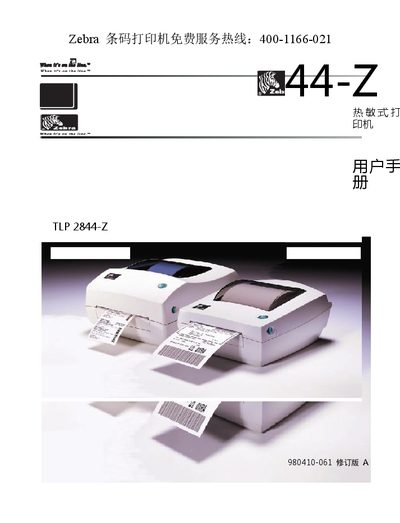
Zebra TLP 2844-Z Barcode Printer User Manual
This manual, published by Zebra Technologies Corporation, covers the Zebra TLP 2844-Z barcode printer. It includes safety information, installation steps, and guidance for daily operation.
The document also provides troubleshooting tips and maintenance procedures to keep the printer running reliably.
Zebra LP2844 specifications
| Part Number | 980479-001 |
|---|---|
| Input Voltage | 115 VAC / 230 VAC |
| Interfaces | 10base‑T, LPT, COM/SER, USB |
Source: Zebra TLP 2844-Z Thermal Printer EMC Compliance Manual
All Zebra LP2844 documents by type
Day-to-day operation, settings and troubleshooting. Start here if the product is already set up.
Questions answered in these manuals
What is the Zebra LP2844 printer used for?
It is a high-quality thermal transfer printer that can perform direct thermal printing.
What is the default serial communication configuration for the printer?
The default settings are 9600 baud, 8 data bits, 1 stop bit, and no parity.
What EMC standards does the TLP 2844‑Z comply with?
It complies with EN 55022‑B 1998, EN 55024 1998 and EN 60950 1991.
From: Zebra TLP 2844-Z Thermal Printer EMC Compliance Manual
Does the printer meet FCC regulations?
Yes, it conforms to FCC Part 15, Subpart B, Section 15.107(a) and Section 15.109(a) Class B.
From: Zebra TLP 2844-Z Thermal Printer EMC Compliance Manual
How do I load media into the TLP 2844 printer?
Open the printer, place the roll of media in the media compartment, and press the feed button to advance the media.
Can the printer be used in a wet environment?
No. The printer and power supply must not be used in moist conditions to avoid electric shock.