
Key facts
- Brand
- Zebra
- Model
- LI4278
- Category
- Scanner
- Industry
- Electronics
- Documents
- 2
- Languages
- ZH · EN
- Last added
- 2022-10-26
Start here
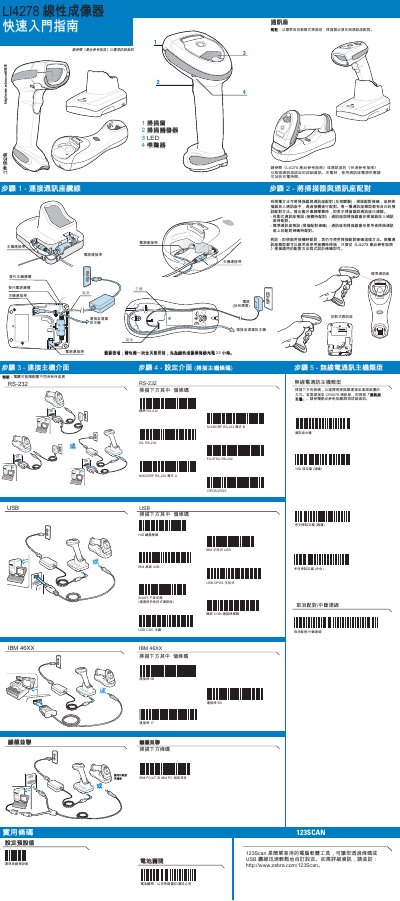
Zebra LI4278 Linear Imager Quick Start Guide
This document serves as a Quick Start Guide for the Zebra LI4278 Linear Imager. It outlines the initial setup process, including how to restore factory default settings and connect the scanner to a host interface via various cable types such as RS-232, USB, and Keyboard Wedge. The guide also details the pairing procedures for different host interfaces, including standard and projection models. This manual is written in Chinese.
Read onlineAll Zebra LI4278 documents by type
The shortest path to a working setup, usually only a few pages.
Day-to-day operation, settings and troubleshooting. Start here if the product is already set up.
Questions answered in these manuals
How long should the scanner be charged before first use?
Charge the Linear Imager Scanner for 24 hours before the first full day of use.
How do I pair the scanner with a standard host interface?
Scan the pairing barcode on the host interface to pair the scanner and interface.
How can I recondition the scanner battery?
The guide provides specific instructions on reconditioning the Linear Imager Scanner battery to maintain performance.
From: Zebra LI4278 Linear Imager Scanner Product Reference Guide
Does the LI4278 support Bluetooth?
Yes, the device supports radio communications, including Bluetooth technology profiles.
From: Zebra LI4278 Linear Imager Scanner Product Reference Guide