
Key facts
- Brand
- SONY
- Model
- HDR-UX1E
- Category
- Camcorders
- Industry
- Electronics
- Documents
- 2
- Languages
- ZH
- Last added
- 2012-03-16
Start here
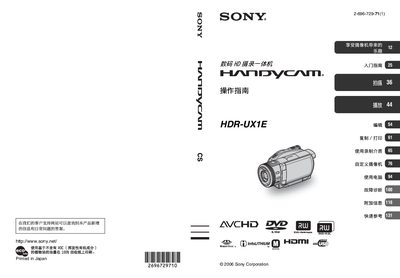
Sony HDR-UX1E Camcorder Operating Instructions
This manual provides step‑by‑step guidance for using the Sony HDR‑UX1E digital HD camcorder. It includes safety warnings, preparation steps, menu navigation, and detailed instructions for recording, playback, and editing.
Additional sections describe compatible media types, battery handling, custom camera settings, computer connection, and a comprehensive troubleshooting guide. A quick‑reference index helps locate functions quickly. This manual is written in Chinese.
SONY HDR-UX1E specifications
| Recording media | 8 cm DVD |
|---|---|
| Supported recording formats | AVCHD, HD, SD |
| Change recording quality | Not possible after formatting |
All SONY HDR-UX1E documents by type
Day-to-day operation, settings and troubleshooting. Start here if the product is already set up.
Questions answered in these manuals
How can I delete a recorded clip?
Open the OPTION MENU while playing the clip and select Delete, or use the Edit > Delete option in the HOME MENU.
Can I change the DVD recording quality after formatting?
No. The recording quality must be chosen when formatting the disc and cannot be changed mid‑recording.
What type of memory cards can be used with the HDR‑UX1E?
Only Memory Stick Duo cards are supported; other Memory Stick types cannot be used.
Is the camcorder waterproof or rain‑proof?
No, the camcorder is not dust‑proof, rain‑proof, or waterproof.