
Key facts
- Brand
- SONY
- Model
- HDR-FX1E
- Category
- Camcorders
- Industry
- Electronics
- Documents
- 2
- Languages
- ZH
- Last added
- 2012-03-16
Start here
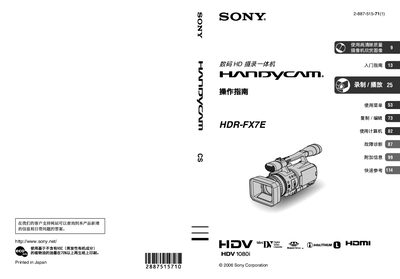
Sony HDR-FX1E DigitalHD Camcorder Operating Instructions
This manual provides safety warnings, battery handling instructions, and details on supported memory media. It explains that only the specified Sony battery type should be used and that the camcorder accepts Memory Stick Duo cards, while other memory formats are not compatible. The device is not water‑resistant and must be kept dry.
The guide walks users through recording and playback functions, menu navigation, and connection options such as HDMI, component video, USB, and iLINK. It also covers troubleshooting steps, specifications, and maintenance recommendations to ensure reliable operation of the HDR‑FX1E camcorder. This manual is written in Chinese.
SONY HDR-FX1E specifications
| Supported Memory Card | Memory Stick Duo |
|---|---|
| Battery Type | Specified Sony battery |
| Video Format | HDV |
| Connection Interfaces | HDMI, component video, USB, iLINK |
| Water Resistance | Not waterproof or water‑resistant |
Source: Sony HDR-FX1E DigitalHD Camcorder Operating Instructions
All SONY HDR-FX1E documents by type
Day-to-day operation, settings and troubleshooting. Start here if the product is already set up.
Questions answered in these manuals
Can I use a regular Memory Stick in the HDR‑FX1E?
No, the camcorder only works with Memory Stick Duo cards.
From: Sony HDR-FX1E DigitalHD Camcorder Operating Instructions
Is the camcorder waterproof?
No, the device is not water‑resistant and should be kept dry.
From: Sony HDR-FX1E DigitalHD Camcorder Operating Instructions
Which video formats can the Sony HDR-FX1E camcorder record?
It can record in HDV and DV formats, using only Mini DV cassettes in this camcorder.
Can HDV tapes be played on devices that are not compatible with the DV format?
No. Tapes recorded in HDV format cannot be played on incompatible devices and the screen appears blue; check the tape on this camcorder first.