
This document is the user manual for Grandstream Networks' GXP series IP phones, including GXP2020/GXP2010/GXP2000/GXP1200/GXP280/GXP285. It provides information on installation, usage, and configuration of these enterprise IP phones.
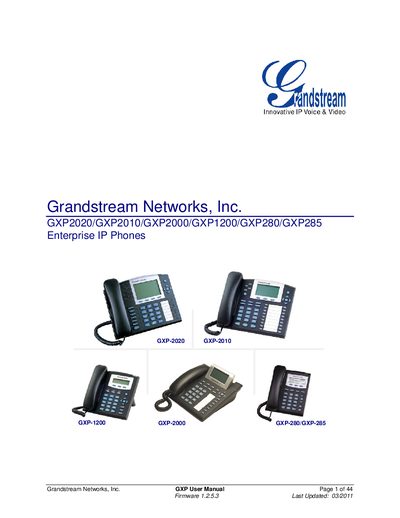
This manual provides comprehensive guidance for the Grandstream GXP series of enterprise IP phones, including the GXP-280, GXP-285, GXP-1200, GXP-2000, GXP-2010, and GXP-2020 models. It covers equipment packaging, hardware connections, safety compliance, warranty information, and an overview of each phone’s features.
The document details step‑by‑step procedures for configuring the phones via keypad or web interface, upgrading firmware through TFTP or HTTP, customizing LCD screens with XML, and restoring factory defaults. It also includes instructions for using extension units, managing PoE support, and handling advanced settings such as SIP account configuration.
| Power over Ethernet (PoE) support | Supported on all models except GXP-280 |
|---|---|
| Ethernet ports | Dual 10/100Mbps Ethernet ports |
| Maximum extensions for GXP-2000 | Up to 2 extension units providing up to 112 programmable extensions |
| Power input | 5V DC power port; UL Certified |
| PoE standard | Supports PoE (802.3af) |
| Extension unit keys | 56 multi‑purpose keys per extension unit |
| Extension unit LEDs | Dual color LEDs (red/green) |
| BLF support on extensions | Supports Busy Lamp Field (BLF) and Presence |
No, the GXP-280 does not support PoE, while other GXP models do.
The GXP-2000 can support up to two extension units, providing up to 112 additional programmable extensions.