
Key facts
Start here
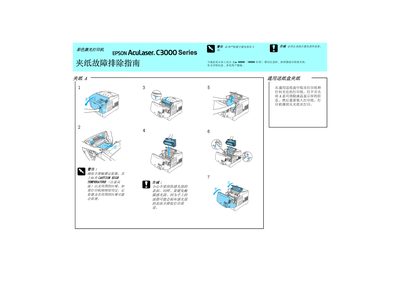
Epson AcuLaser C3000 Color Laser Printer Jam Troubleshooting Service Manual
This service manual for the Epson AcuLaser C3000 color laser printer explains how to identify and clear paper jams. It includes safety precautions and detailed procedures for removing jammed paper from the printer's internal path.
After the jam is cleared, the manual guides the user through re‑installing the paper tray and other components to resume normal printing. The instructions are presented in Japanese with clear diagrams and stepwise text. This manual is written in Japanese.
All Epson C3000 documents by type
Mounting, wiring and first power-up. Read it before the hardware goes in.
Disassembly, diagnostics and part numbers, for repair.
Questions answered in these manuals
What should I do after removing the jam?
Reinstall the paper tray and other components before restarting the printer.
From: Epson AcuLaser C3000 Color Laser Printer Jam Troubleshooting Service Manual