
Key facts
- Brand
- DELL
- Model
- WD15
- Category
- Other Computer Accessories
- Documents
- 2
- Languages
- EN
- Last added
- 2023-11-22
Start here
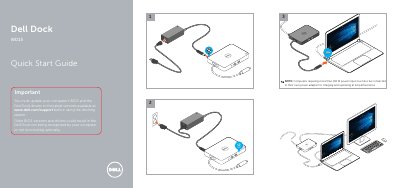
Dell WD15 Dock Quick Start Guide
This document serves as a Quick Start Guide for the Dell WD15 Docking Station. It outlines critical pre-use requirements, specifically the necessity of updating the computer's BIOS and the Dock drivers to the latest versions available on the Dell support website to ensure proper recognition and optimal functionality.
The guide also includes a specific performance note regarding power input. It states that computers requiring more than 130 W of power input must be connected to their own power adapter for charging and operating at full performance when using the dock.
Dell WD15 specifications
| mini DisplayPort | x 1 (supports DP 1.2) |
|---|---|
| HDMI | x 1 (supports HDMI 1.4a) |
| VGA port | x 1 |
| Headset connector | x 1 |
| Speaker out | x 1 |
| Network port | Gigabit Ethernet (RJ-45) x 1 |
| Front USB 3.0 ports | 2 (one with PowerShare) |
| Rear USB 3.0 port | 1 |
| Rear USB 2.0 ports | 2 |
| DC-in port | one 7.4 mm |
| USB Type-C cable length | 0.8 m |
| Buttons | Sleep/Wakeup, Reset |
| LEDs | Front status indicator; Connected Mode - White; Firmware Upgrade: White |
| Operating temperature | 0 °C to 35 °C |
| Non-operating temperature | -20 °C to 60 °C |
| Operating humidity | 10% to 80% (non-condensing) |
| Non-operating humidity | 5% to 90% (non-condensing) |
| Power adapter input voltage | AC 100~240 V |
| Power adapter output voltage | 19.5 V / 3.34 A |
| Average power consumption | 4.384 W |
| Network standby power consumption | 5.8 W |
| Dimensions | 155 mm x 110 mm x 21 mm |
| Weight | 420 g (minimum) |
| VESA mounting | Yes, via Dell Docking Station Mounting Kit MK15 |
| DisplayPort bandwidth | Up to 10.8 G (x2 DP lanes) |
| Single display maximum resolution | mDP or HDMI: 4k x 2k @ 30 Hz; VGA: 1920 x 1200 @ 60 Hz |
| Dual display maximum resolution | 2x FHD or WUXGA (1920 x 1080 @ 60 Hz)(1920 x 1200 @ 60 Hz) |
| Triple display maximum resolution | 3x SXGA (1280 x 1024 @ 60 Hz) |
| Quad display maximum resolution | Not supported |
All Dell WD15 documents by type
Day-to-day operation, settings and troubleshooting. Start here if the product is already set up.
The shortest path to a working setup, usually only a few pages.
Questions answered in these manuals
What hardware is required before using the Dell Docking Station WD15?
The laptop or PC must have a DisplayPort over USB Type-C or Thunderbolt port.
Does the docking station support HDCP content?
No, the docking station does not support HDCP content.
What must be done before using the Dell WD15 Dock?
The computer's BIOS and the Dell Dock drivers must be updated to the latest versions.
Where are the latest BIOS and driver versions available?
They are available at www.dell.com/support.