
Dell Inspiron 7547/7548 Laptop Quick Start Guide

A quick start guide for Dell laptop.
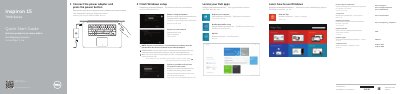

Dell Inspiron 7547/7548 Laptop Quick Start Guide - cover page
Brand
DELL
Category
Laptops
Document type
Quick Start Guide
Language
English
Pages
2
File format
PDF
File size
532 KB
Published
19 November, 2023
Updated
19 November, 2023
MD5 checksum
D2EEB3DE7F9DB0E2CB04AAE20B8C2E80

About this manual

This document is a Quick Start Guide for Dell Inspiron 7547 and Inspiron 7548 laptops. It provides instructions for finishing Windows setup, locating Dell apps, and connecting the power adapter. The guide also includes a section on registering the computer and accessing product support.

What's inside

  • Finish Windows setup
  • Locate your Dell apps
  • Connect the power adapter
  • Register your computer
  • Features
  • Shortcut keys
  • System Request
  • Sleep

Frequently asked questions

Where can I find more specifications?

More information can be found at dell.com/support.

How do you start using the laptop?

Connect the power adapter and press the power button.

Which computer models are covered?

The guide covers the Inspiron 7547 and Inspiron 7548.

Does the laptop have a USB 3.0 port with PowerShare?

Yes, the features list includes a USB 3.0 port with PowerShare.

Download PDF (532 KB)

More DELL Manuals


View all DELL manuals →