
This document is a quick start guide for Dell computers, which introduces how to set up and use a Dell computer.
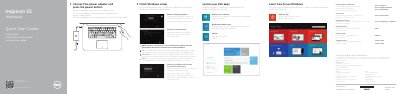
This guide helps set up and use Dell Inspiron 15 7000 Series computers. It covers finishing Windows setup, locating Dell apps, connecting to a network, signing in, security and updates, backup and recovery, support, and regulatory information.
It includes labeled feature diagrams for ports and controls and a table of shortcut keys. It also notes where to find specifications and how-to information.
| Regulatory model | P41F |
|---|---|
| Regulatory type | P41F001 |
| Computer model | Inspiron 7547, Inspiron 7548 |
| Input voltage | 100 V AC-240 V AC |
| Frequency | 50 Hz-60 Hz |
| Input current | 1.50 A/1.60 A/1.70 A/2.50 A |
| Output voltage | 19.50 V DC |
| Output current | 3.34 A/4.62 A |
| Country of origin | China |
The guide directs users to see Specifications at dell.com/support.
Scan the code or visit Dell.com/QRL/Inspiron/15 as shown in the guide.
It covers Inspiron 7547 and Inspiron 7548.
The regulatory model number is P41F.