
Dell Inspiron 3437/5437 Quick Start Guide

User manual for Dell computer.
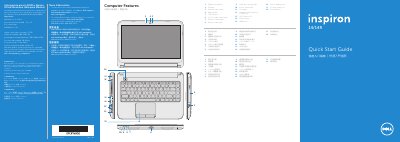

Dell Inspiron 3437/5437 Quick Start Guide - cover page
Brand
DELL
Category
Laptops
Document type
Quick Start Guide
Language
English
Pages
2
File format
PDF
File size
896 KB
Published
20 November, 2023
Updated
20 November, 2023
MD5 checksum
4AB3BE028543CABABDAD9E09FC3E1089

About this manual

This document serves as a Quick Start Guide for the Dell Inspiron 3437 and Inspiron 5437 laptops. It provides essential information for initial setup, including connecting the power adapter, pressing the power button, and completing the Windows installation. The guide also instructs users on how to locate regulatory and service tag labels.

What's inside

  • Computer Features
  • Function Keys
  • Connect the network cable
  • Connect the power adapter
  • Press the power button
  • Record your Windows password
  • Complete Windows setup
  • Locate your regulatory/service tag labels
  • Check wireless status

Specifications

Regulatory modelP37G
TypeP37G003
Input Voltage100–240 V CA
Input Frequency50–60 Hz

Frequently asked questions

How do I turn on the computer?

Press the power button to turn on the computer.

What should I avoid using in my Windows password?

Do not use the @ symbol in your password.

Download PDF (896 KB)

More DELL Manuals


View all DELL manuals →