
Key facts
Start here
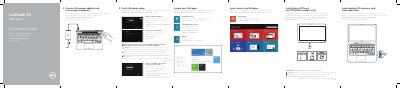
Dell Latitude 13 7000 Series Notebook Quick Start Guide
This document provides a quick start guide for the Dell Latitude 7350 notebook. It instructs users on connecting the power adapter, completing Windows setup, and inserting optional memory cards or SIM cards. It also details how to register the device and access help resources.
Read onlineDell Latitude 7350 specifications
| Regulatory model | P58G |
|---|---|
| Regulatory type | P58G001 |
| Computer model | Latitude 7350 |
Source: Dell Latitude 13 7000 Series Notebook Quick Start Guide
All Dell Latitude 7350 documents by type
The shortest path to a working setup, usually only a few pages.
- Dell Latitude 13 7000 Series Notebook Quick Start Guide 2 p
- Dell Latitude 7350 (Latitude 13 7000 Series) Quick Start Guide 2 p
- Dell Latitude 13 7000 Series (7350) Quick Start Guide 2 p
- Dell Latitude 13 7000 Series Laptop Quick Start Guide 2 p
- Dell Latitude 13 7000 Series (Latitude 7350) Notebook Quick Start Guide 2 p
Questions answered in these manuals
How do I access the SIM card slot?
You must undock the computer to access the SIM card slot.
From: Dell Latitude 13 7000 Series Notebook Quick Start Guide
When should I insert the micro-SIM card?
Insert the micro-SIM card only on LTE/HSPA+ models.
From: Dell Latitude 13 7000 Series Notebook Quick Start Guide
How do I access the micro-SIM card slot?
Undock the computer to access the SIM card slot.
From: Dell Latitude 7350 (Latitude 13 7000 Series) Quick Start Guide
Is the NFC reader optional?
Yes, the NFC reader is optional.
From: Dell Latitude 7350 (Latitude 13 7000 Series) Quick Start Guide
How do I access the micro-SIM card slot?
Undock the computer to access the SIM card slot.
Where can I find Dell product support and manuals?
Visit dell.com/support and dell.com/support/manuals.