
This document describes the setup process for a Dell laptop.
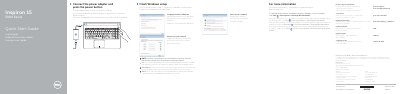
This Quick Start Guide provides initial setup instructions for the Dell Inspiron 15-5555 (Inspiron 15 5000 Series) laptop. It walks the user through connecting the power adapter, pressing the power button, completing Windows setup, setting a password, and connecting to a wired or wireless network. The guide also points to Dell Help Documentation for advanced features and provides Dell support and regulatory information.
The second page illustrates the laptop's physical features with numbered callouts in English, Dutch, French, and Spanish, identifying ports, buttons, indicators, and the service tag location. A table of shortcut keys describes function-key combinations for audio, brightness, display switching, search, keyboard backlight, wireless toggle, sleep, and activity-light toggling.
| Regulatory model | P51F |
|---|---|
| Regulatory type | P51F002 |
| Computer model | Inspiron 15-5555 |
| Input voltage | 100 V AC–240 V AC |
| Frequency | 50 Hz–60 Hz |
| Input current | 1.30 A/1.60 A/1.70 A |
| Output voltage | 19.50 V DC |
| Output current | 2.31 A/3.34 A |
| Country of origin | Made in China |
Connect the power adapter and press the power button to begin Windows setup.
Use the Fn-key combination shown for 'Toggle keyboard backlight (optional)' in the shortcut keys table.