
Key facts
- Brand
- ASUS
- Model
- P535
- Documents
- 2
- Languages
- ZH
- Last added
- 2011-11-16
Start here
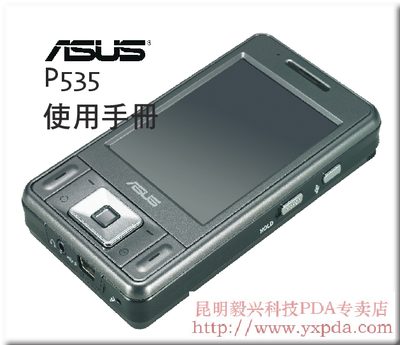
ASUS P535 User Manual
This manual introduces the ASUS P535, guides you through preparation, basic usage, and detailed functions such as phone calls, messaging, camera, and multimedia. It also covers input panel operation, ActiveSync, and various wireless settings including WLAN, Bluetooth, and GPRS.
Additional sections describe device management, personalization, security settings, power‑saving features, system configuration, and a troubleshooting guide. Technical specifications, accessories, and support contact information are listed at the end. This manual is written in Chinese.
ASUS P535 specifications
| Dimensions | 109 mm × 59 mm × 19 mm |
|---|---|
| Weight (including battery) | 145 g |
| Battery capacity | 1300 mAh rechargeable |
| Talk/standby time | 150 h talk, 4 h standby |
| Processor | Intel XScale 520 MHz |
| Memory | 64 MB SDRAM, 256 MB NAND Flash |
| Bluetooth | Bluetooth 2.0 EDR |
| Wi‑Fi | IEEE 802.11b/g |
| USB | USB 1.1 client |
Source: ASUS P535 User Manual
All ASUS P535 documents by type
Day-to-day operation, settings and troubleshooting. Start here if the product is already set up.
- ASUS P535 User Manual 128 p
- ASUS P535 User Manual 128 p
Questions answered in these manuals
What is the battery capacity of the ASUS P535?
The device uses a 1300 mAh rechargeable battery.
From: ASUS P535 User Manual
How do I set up Wi‑Fi on the P535?
Use the WLAN wireless network settings described in the manual (see chapter “使用 WLAN 無線網路”).
From: ASUS P535 User Manual
How can I sync the P535 with a PC?
Activate the ActiveSync function as explained in the manual (see chapter “使用 ActiveSync 功能”).
From: ASUS P535 User Manual