
This is a user manual that explains how to set up the product UGREEN USB 2.0 microSD/microSDHC Memory Card Reader/Writer. The card reader can be connected directly to a PC USB port to read and write from/to microSD and microSDHC memory cards without the need for an adapter.
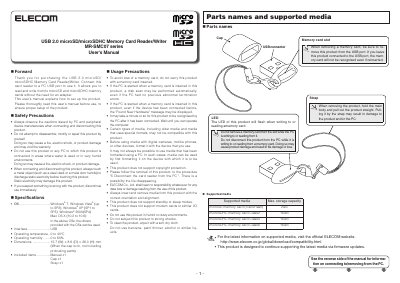
This user's manual explains how to set up and use the USB 2.0 microSD/microSDHC Memory Card Reader/Writer. It details safety precautions, supported operating systems, and compatible memory card capacities. The guide also provides instructions on connecting the device to a PC and removing memory cards safely to prevent data loss.
| Interface | USB |
|---|---|
| Operating temperature | 0 to 40°C |
| Operating humidity | 0 to 80% |
| Dimensions | 15.7 (W) x 8.8 (D) x 26.0 (H) mm |
| Max. storage capacity (microSDHC Class 2) | 16GB |
| Max. storage capacity (microSDHC Class 4) | 16GB |
| Max. storage capacity (microSDHC Class 6) | 16GB |
The device supports Windows 7, Vista, XP, 2000, and Mac OS X (10.2 to 10.6).
The maximum supported capacity is 16GB for microSDHC cards (Classes 2, 4, and 6).
No, do not remove the card while the LED is flashing, as this may cause product damage or file loss.