
This manual introduces the basic operation methods of Philips mobile phone, including power on, power off, dialing, receiving incoming calls, storing phone numbers, viewing call records, sending text messages, listening to MMS, etc.
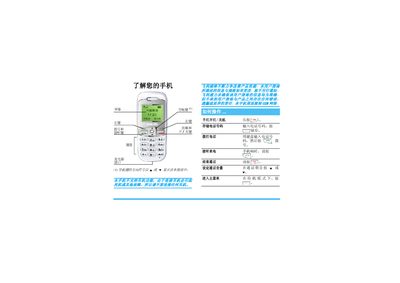
The guide walks you through the first steps of using the phone, including inserting a SIM card, charging the battery, turning the device on and off, and accessing basic functions such as dialing, answering calls, and adjusting volume. It also covers the various input methods, menu navigation, and how to manage call records.
Additional sections describe network and safety settings, factory reset, game and scenario modes, tools, shortcuts, and troubleshooting. The document ends with warranty details, service center contacts, and customer service hotline information. This manual is written in Chinese.
| Maximum standby time | Up to 336 hours |
|---|
Slide the SIM card into the card slot, making sure it is oriented correctly before closing the cover.