
Philips D908 phone user manual, introduces the phone's power on, power off, lock screen, unlock screen, slide screen, quick access to call records, set scenario mode, edit the main standby screen layout, make phone calls, change phone themes, access the start menu, enter the camera mode, adjust the phone volume, answer incoming calls, reject incoming calls, end calls, and quickly return to the standby screen.
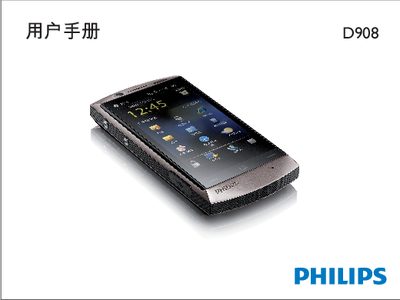
This guide explains how to use the Philips D908 mobile phone, including basic operations such as powering on/off, unlocking, making calls, and navigating the home screen. It also details system settings like weather forecasts, theme changes, and power‑saving options.
The manual covers hardware features such as the 5‑megapixel camera, VGA camera, USB charging port, LED charging indicator, and proximity sensor, as well as network compatibility with CDMA, GSM, and CDMA1X networks. It includes instructions for using the stylus, calibrating the touch screen, and accessing China Telecom services. This manual is written in Chinese.
| Camera resolution | 5.0 megapixel |
|---|---|
| Secondary camera type | VGA |
| Network support | CDMA / GSM / CDMA1X |
| Charging / data interface | USB |
From the standby screen, tap the launcher shortcut, then the toolbox icon, choose Tools > Theme, and select the desired theme.
The LED lights red while the phone is charging and turns blue when the battery is fully charged.