
Introduction to the MFC-J220 MFC-J410 Quick Setup Guide, including the composition of the machine, safety precautions, product list, installation instructions, etc.
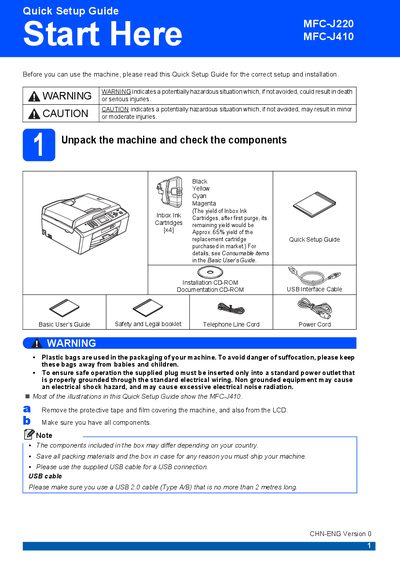
This Quick Setup Guide walks you through the initial steps to get your Brother MFC-J220/J410 ready for use. It includes instructions for unpacking, loading paper, connecting power and telephone lines, installing ink cartridges, and performing the first print quality check.
Additional sections cover configuring the LCD contrast, setting date and time, entering station ID information, installing optional Windows applications, and replacing consumable ink cartridges.
| Black ink cartridge part number | LC975BK |
|---|---|
| Yellow ink cartridge part number | LCQ75Y |