
Introduces the features and characteristics of the Logitech MK330 wireless keyboard and mouse combo.
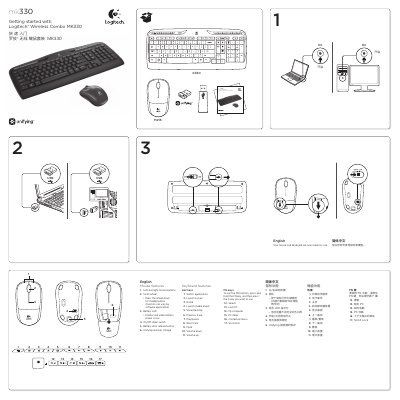
This guide introduces the Logitech MK330 wireless combo, showing how to get the mouse and keyboard ready for use. It lists the mouse and keyboard features, battery information, and explains the Unifying receiver that lets you connect up to six Logitech devices with a single USB port.
Step‑by‑step instructions cover pairing the devices using the Logitech Unifying software, troubleshooting tips such as checking the receiver connection, battery orientation, and removing metal objects, and basic usage of hot‑keys and FN functions on the keyboard. This manual is written in Chinese.
| Mouse buttons | Left and right mouse buttons |
|---|---|
| Scroll wheel | Present, press down for middle button |
| Mouse battery type | One AA alkaline battery |
| Keyboard battery type | Two AAA alkaline batteries |
| Unifying receiver | Supports up to six devices on one USB port |
The mouse uses one AA alkaline battery, and the keyboard uses two AAA alkaline batteries.