
This Harmony One user manual introduces the basic functions and usage methods of the remote control, including how to set up, connect devices, and control devices.
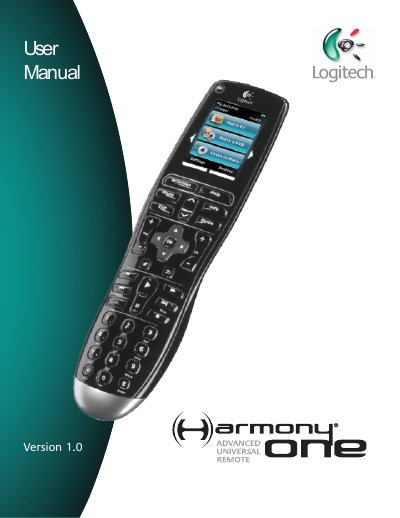
This manual introduces the Harmony One universal remote, explaining its Activity‑based control, Smart State Technology, and how to configure up to 15 devices using the Harmony Remote Software. It walks you through the initial setup, creating a user account, connecting the remote to a computer, and adding devices and Activities.
The guide also covers daily use—selecting Activities, customizing buttons, charging the remote, and troubleshooting common issues. Appendices list device information and a full product specification sheet. This manual is written in Chinese.
| LCD Size | 2.2" Diagonal |
|---|---|
| LCD Resolution | 220 x 176 (QCIF+) |
| LCD Screen Colors | 64,000 Color |
| Touch Screen Technology | Capacitive |
| Power Source | Rechargeable |
| Power Type | Lithium Ion |
| Backlit keypad | Yes |
| Backlight Color | White or Amber |
| IR Learning | Yes (Up to 200 kHz) |
| IR Transmission Range | Up to 65 ft |
| Memory Type | Flash Memory |
| Memory Amount | 4 MB |
| Weight | 6 oz (with battery installed) |
| Dimensions | 8.75" x 2.3" x 1.3" |
| Warranty | 1 Year |
| Supported Platforms | Windows 2000/XP/Vista, macOS 10.3+ |
The remote comes with a charging station that plugs into a wall outlet and charges the battery every time you place the remote on it.
Press the system off button, which turns off all devices in the current Activity.
The Harmony One can be configured to control up to 15 devices.
Use the “Updating your Harmony One firmware” section in the manual to upgrade via the Harmony Remote Software.