
Logitech Z906 5.1 surround sound speakers use Dolby Digital, THX certification, DTS Digital Surround technology to let you enjoy the shocking sound effects of movies, games and music
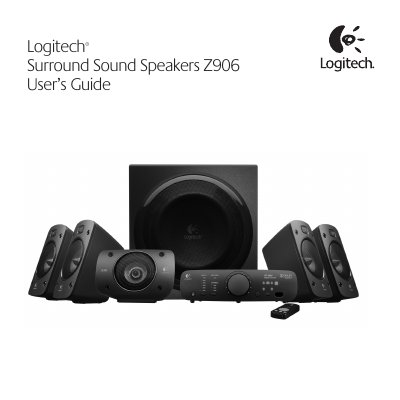
This guide walks you through unpacking, speaker placement, wiring and power‑on procedures for the Logitech Z906 5.1 surround sound system. It includes detailed diagrams for positioning front, rear, center and subwoofer speakers, as well as instructions for connecting speaker cables and the control console.
The manual also covers operation of the remote control, input selection, volume and effect settings, testing mode, and provides full performance specifications such as total RMS power, frequency response and supported digital formats.
| Total RMS Power | 500 watts |
|---|---|
| Subwoofer Power | 165 watts (6 Ω, 52 Hz, 10 % THD) |
| Satellite Power | 335 watts RMS (5 × 67 W per channel) |
| Maximum SPL | >110 dBC |
| Frequency Response | 35 Hz – 20 kHz |
| Amplifier Type | Ultra Efficient Class D |
| Input Impedance | 8 kΩ minimum |
| Signal‑to‑Noise Ratio | >95 dB (A‑weighted) |
| Supported Digital Formats | Dolby Digital, DTS Digital Sound |
| Source Inputs | Digital Coaxial, Digital Optical (2), 6‑channel direct, Stereo (RCA), Analog stereo‑mini (3.5 mm) |
The subwoofer provides 6‑channel direct (PC sound card), RCA stereo, two digital optical inputs, a digital coaxial input, and an analog 3.5 mm mini‑jack.